


 Hatch Embroidery Digitizer
 Hatch Embroidery Composer
 Hatch Embroidery Personalizer
 Hatch Embroidery Organizer


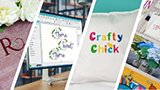










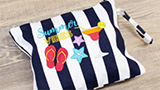
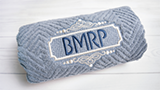


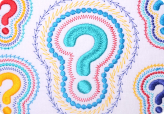





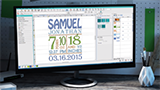



Turn any image into
embroidery in seconds.
Auto-Digitizing in Hatch Embroidery converts your bitmap and vector artwork into stitch-ready designs with just a few clicks. No digitizing experience needed.
Windows 11 only trial · 2 GB download
Paid licenses compatible with Virtual Machines and Macs
From artwork to embroidery - without the complexity.
Auto-Digitizing means Hatch Embroidery does the heavy lifting for you. Import your artwork - a logo, a photo, a clipart image - and the software reads its colors, shapes, and structure, then converts it into a complete embroidery design ready to stitch.
Unlike manual digitizing, which gives you object-by-object control, auto-digitizing is designed to get you from image to embroidery fast. You can then refine colors, reorder stitch sequences, and adjust any element to get the exact result you want.
- Convert bitmap and vector artwork in just a few clicks
- Hatch automatically detects colors, shapes, and stitch sequence
- Reduce colors before digitizing to minimize thread changes
- Use Click-to tools for targeted control over individual shapes
- Combine with manual digitizing for a powerful hybrid workflow
10 tools for every type of artwork.
Hatch Embroidery 4 gives you a complete auto-digitizing toolbox. Whether you're converting a clean logo, a detailed illustration, or a photograph, there's a purpose-built tool for the job.
Auto-Digitize Instant Embroidery
The fastest path from image to embroidery. One click converts your artwork automatically using default settings - ideal for clean artwork with simple shapes and a few colors.
Auto-Digitize Embroidery
Convert your artwork with more control. Choose your own color reduction and conversion settings before digitizing, so you get a result closer to what you're imagining from the start.
Click-to-Fill
Click any shape in your artwork to fill it with tatami stitch, preserving any holes automatically. Great for logos and flat graphic artwork with clearly defined areas.
Click-to-Fill Without Holes
Works like Click-to-Fill but ignores any holes within the shape. Useful when you want to fill an entire area solidly without cutouts or gaps in the stitching.
Click-to-Turning Fill
Converts narrow column shapes - like letter strokes or design outlines - into satin stitch automatically. Stitch angles follow the shape contour for a smooth, professional result.
Click-to-Outline
Traces the boundary of any shape in your artwork and converts it to a run stitch outline. Great for adding definition, detail, or embroidered linework to your designs.
Click-to-Centerline
Finds and digitizes the centerline of shapes in your artwork as a run stitch. Ideal for thin lines, text outlines, and decorative elements where a single-path stitch is the right choice.
Color PhotoStitch
Transform color and grayscale photographs into embroidery using variegated stitching with multiple thread colors. Ideal for portraits, landscapes, and detailed photographic images.
Reef PhotoStitch
Converts photos into a single embroidery field with an organic, coral reef texture. Low stitch count makes it practical for large designs on fine fabrics. Best with high-contrast images.
PhotoFlash
Creates rows of Photo Satin stitching from color or grayscale photos. The effect resembles a line printer output with a stylized quality. Control resolution, grain angle, and density.
Smart color handling. Better results.
Auto-digitizing in Hatch Embroidery 4 isn't just one-click and done. It gives you tools to manage colors, match threads, and refine the output at every stage.
Reduce colors before you digitize.
Fewer colors means fewer thread changes - which is especially valuable if you use a single-needle embroidery machine. Before Hatch auto-digitizes your design, you choose which colors to reduce or merge, giving you a cleaner result with less machine setup time.
Hatch shows you a color preview before committing to the conversion. Adjust until you're happy, then digitize.
- Preview color reduction before digitizing
- Fewer colors means fewer thread changes at the machine
- Ideal for single-needle machines where color changes take time
- Simplifies stitch sequence without losing design impact
Match threads automatically - or choose your own.
Once your design is digitized, Hatch gives you three ways to match thread colors: auto-match to your preferred thread chart, add image colors to the palette for manual matching, or use the closest colors already in your working palette.
Supports a wide range of professional thread charts including Madeira, Robison-Anton, Sulky, and more - so colors translate accurately to the real threads you have on hand.
- Auto-match to your preferred thread chart
- Manual matching by adding image colors to the palette
- Supports Madeira, Robison-Anton, Sulky, and more
- Change thread assignments at any time after digitizing
Auto-digitize first. Refine after.
Auto-digitizing gives you a strong starting point - but Hatch Embroidery 4 doesn't lock you in. Once a design is digitized, you can reshape objects, change stitch types, adjust density, reorder the sequence, and edit individual elements just like any other design.
Use the results as a base and keep refining until it's exactly right.
- Edit any object after auto-digitizing using standard design tools
- Change stitch type, density, angle, and fill on any object
- Reorder stitch sequence for better production efficiency
- Combine auto-digitized elements with manual digitizing
Turn your photographs into embroidery.
Hatch Embroidery Digitizer 4 includes three dedicated tools for converting photographs and complex images into embroidery designs - each with a distinct visual style to suit different purposes.
Color PhotoStitch
Convert color and grayscale photographs into rich embroidery using variegated stitching with multiple thread colors. Captures the depth and tonal variation of the original image with impressive fidelity.
Reef PhotoStitch
Creates a single open-stitch embroidery field from your photo with an organic, reef-like texture. Low stitch count makes it practical for large designs. Works best with images that have strong, clearly defined contrast.
PhotoFlash
Converts photos into rows of Photo Satin stitching with a stylized, graphic quality. Control resolution, grain angle, stitch density, and background options for a range of artistic effects.
No digitizing experience required.
Auto-Digitizing is designed to make embroidery creation accessible. Whether you're just getting started or running a busy embroidery business, it saves you time and opens up creative possibilities.
Complete Beginners
You have artwork you love and want to stitch it - but you don't know how to digitize. Auto-Digitizing lets you convert images in just a few clicks without any prior knowledge of embroidery software or stitch techniques.
Home Business Owners
Customers bring you logos, photos, and clipart and they need them stitched fast. Auto-Digitizing turns those files into stitch-ready designs quickly, so you can take on more orders without spending hours on each one.
Experienced Digitizers
You know when auto-digitizing is the fastest path to a great result. Use it for rapid first passes on clean artwork, then refine with manual tools for the finishing touches that matter.
Auto-Digitizing is available in two levels.
Start with the tools that match where you are now. Both levels include auto-digitizing - Digitizer adds the full photo-to-embroidery toolset. Upgrade easily at any time as your skills and business grow.
Hatch Embroidery Digitizer
Everything in Composer plus the full photo-to-embroidery toolset and world-class manual digitizing. The complete package.
- All 10 auto-digitizing tools including all Composer tools
- Color PhotoStitch, Reef PhotoStitch, and PhotoFlash for photo-to-embroidery
- Full manual digitizing toolset - create designs from scratch
- Multi Blend, Advanced Appliqué, Continue Digitizing, Stop Function
- 130 professionally digitized fonts
- Hatch Academy included free
Hatch Embroidery Composer
Edit, arrange, and auto-digitize without any manual digitizing experience. Includes the full core auto-digitizing toolbox.
- 7 auto-digitizing tools - instant embroidery, all Click-to tools, color matching
- Color reduction before digitizing to minimize thread changes
- Thread matching from professional thread charts
- Full design editing, reshaping, and layout tools
- 78 professionally digitized fonts
- Hatch Academy included free
Learn Auto-Digitizing with Hatch Academy.
Every Hatch Embroidery software license includes free access to Hatch Academy - over 400 expert-led video lessons covering auto-digitizing techniques, color management, thread matching, and more. Learn at your own pace, on any device.
- 400+ expert-led video lessons
- Dedicated auto-digitizing and photo embroidery courses
- Learn at your own pace, on any device
- Included free with your Hatch Embroidery software license
From artwork to embroidery in minutes.
Download Hatch Embroidery and get 30 days free to try every auto-digitizing tool - including all Click-to tools, color management, and the photo embroidery tools. No obligation. No risk.
Windows 11 only trial · 2 GB download
Paid licenses compatible with Virtual Machines and Macs