
 Hatch Embroidery Digitizer
 Hatch Embroidery Composer
 Hatch Embroidery Personalizer
 Hatch Embroidery Organizer
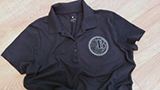

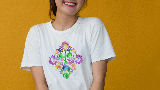
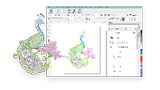
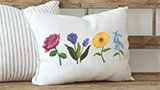

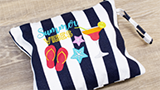
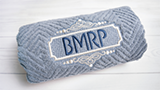






Decorative lettering,
mapped to your keyboard.
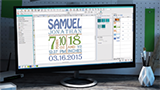
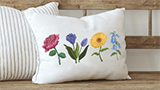
Keyboard Design Collections let you type stunning decorative embroidery letter sets - from garden florals to graffiti art - just like a font. 10 beautiful collections to choose from, 5 included free.
Available in Personalizer, Composer & Digitizer · Create your own in Digitizer
Individual designs mapped to your keyboard.
A Keyboard Design Collection (KDC) is a set of individual embroidery designs - usually decorative letter shapes - that are mapped to the corresponding keys on your keyboard. Once set up, you simply type to lay out beautifully embroidered lettering.
Unlike standard Hatch embroidery fonts, KDCs are created from individual embroidery design files - often hand-digitized artworks with intricate detail. Think of them as a collection of embroidery art pieces that happen to be arranged as an alphabet.
- Use in the Lettering toolbox exactly like a standard font
- Apply to Monogramming projects for decorative initial lettering
- Filter the font list by “Keyboard Design Collection” type to find them instantly
- Reference height and recommended size range displayed in the font list
- Works with lettering baselines, art styles, alignment options, and spacing controls
10 beautiful collections to decorate your life.
Each Keyboard Design Collection is professionally digitized to produce stunning embroidery results. Whether you want organic florals, bold street art, or cozy childhood charm - there's a collection for every project.
Included Free
5 CollectionsBloom
A floral KDC with beautifully intricate petal and leaf detailing woven into each letter. Perfect for gifts, home décor, and nature-inspired projects.
Cross Stitch
Classic cross stitch letter designs with a charming handmade look. Each character is built from precise cross stitch detailing for a timeless, craft-inspired style.
Nautical
Sea-inspired lettering with rope details and maritime styling. A fresh, classic look that suits beach bags, towels, and coastal home accessories beautifully.
Redwork
Traditional outline embroidery styled as decorative letters. Each character is stitched as a single run stitch outline in the classic Redwork tradition - elegant and low stitch count.
Twine
Rustic rope-style lettering with a hand-crafted, country feel. Great for farmhouse style, kitchen linens, and personalized everyday items with natural charm.
Premium Add-Ons
5 collections available to purchase separatelyKDC #1 — Garden Story
Ornate initial letters adorned with delicate leaves, symbolizing growth and renewal - perfect for transformative, nature-inspired designs.
View collection →KDC #2 — Great Wave
Japanese Sashiko-inspired letters that embody resilience and beauty, flowing like waves to mirror life's rhythm in your embroidery.
View collection →KDC #3 — Graffiti
Bold, rebellious street art lettering. Sharp lines and edgy angles infuse your designs with an unmistakable urban vibe that stands out.
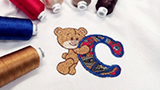
View collection →KDC #4 — Teddy Bear Appliqué
Appliqué letters hugged by adorable teddy bears - a cozy, playful touch for children's clothing, baby gifts, and nursery décor.
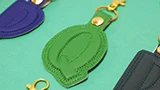
View collection →KDC #5 — 3D Foam Key Fobs
In-the-hoop 3D foam key fob designs with simple outlines for fast, easy stitching. Create quick personalized accessories with bold dimensional impact.
View collection →Simple to use, endlessly creative.
Using a Keyboard Design Collection is just like using any font in Hatch. Select it from the Lettering toolbox, type your text, and the software automatically places each decorative design letter.
Type beautifully decorated letters in seconds.
Open the Lettering toolbox and filter the font list by “Keyboard Design Collection.” Select your collection, type your text, and your decorative letters appear instantly on the canvas - no manual placement required.
The software automatically sets the height to the reference height for that collection, ensuring your designs always stitch out at the correct size. You can adjust the height, but the recommended range is shown as a guide for best results.
- Filter font list by Keyboard Design Collection type for quick access
- Recommended size range shown - adjust height to suit your project
- Apply lettering baselines - horizontal, arc, circle, or custom path
- Works with Lettering Art gallery presets for shaped word effects
Stunning monograms with decorative letters.
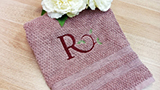
Keyboard Design Collections work with the Hatch Monogramming toolbox too. Use any KDC as the letter source for your monogram - selecting layouts from over 90 professional templates - and create truly unique personalized gifts with beautiful decorative initial letters.
Whether it's a floral initial monogram on a wedding gift or a nautical theme on a beach bag, KDCs give your monograms a hand-crafted, premium look that generic fonts simply can't match.
- Use any KDC font in the Monogramming toolbox as your letter source
- Combine with 90+ professional monogram layout templates
- Create premium-looking initial monograms on personalized gifts
- Break apart lettering to resequence colors for efficient stitching
Map any design to your keyboard.
Hatch Digitizer lets you create your own Keyboard Design Collections from any embroidery design files. Map individual letter designs to their corresponding keyboard keys using the Keyboard Design Collection docker in the Design Library.
Batch mapping lets you assign an entire alphabet (A-Z, a-z, 0-9) in one step. Once created, your custom collection appears in the font list alongside the included collections - ready to use in Lettering and Monogramming just like any built-in KDC.
- Import embroidery design files and map them to keyboard characters
- Batch map A-Z, a-z, or 0-9 in a single action
- Set reference height, character spacing, and recommended size range
- Use any third-party alphabet design set you have purchased or digitized
New collections appear automatically.
When you purchase an add-on Keyboard Design Collection, simply close and reopen Hatch Embroidery. Your new collection will appear automatically in the Lettering font list - no manual installation or file management needed.
All additional KDCs work exactly the same way as the included collections. Select one, type your text, and create. It's as simple as that.
- Close and reopen Hatch after purchase - collection appears immediately
- No manual file installation or copy-paste required
- Works identically to included collections in Lettering and Monogramming
- Expand your creative library with collections matching your style
See KDCs in action.
Watch these short tutorials to see how Keyboard Design Collections work in Hatch Embroidery - from using a finished collection to creating your own from scratch.
The Keyboard Design Collection Tool in Hatch Embroidery
Keyboard Design Collection Tool - Design Library
Keyboard Design Collection - What It Is and What It Is Not
KDCs in three levels.
All three levels include full access to the included Keyboard Design Collections and the ability to use purchased add-ons. Only Digitizer adds the ability to create your own collections.
Personalizer
Use the included KDC collections in Lettering and Monogramming for beautiful personalised gifts.
- 5 free included KDC collections
- Use KDCs in Lettering and Monogramming tools
- Purchase and use add-on KDC collections
- Apply lettering baselines, art styles, and alignment
- Hatch Academy included free
Composer
Everything in Personalizer plus auto-digitizing and a larger font library for even more creative possibilities.
- All Personalizer KDC features
- 5 free included KDC collections
- Auto-digitizing and full design editing tools
- Purchase and use add-on KDC collections
- Hatch Academy included free
Digitizer
Everything in Composer plus the unique ability to create your own Keyboard Design Collections from any embroidery design files.
- All Composer KDC features
- Create your own KDCs from any embroidery design files
- Map third-party alphabet sets to keyboard characters
- Batch mapping for full alphabets in one step
- Hatch Academy included free
Common questions answered.
Everything you need to know about Keyboard Design Collections in Hatch Embroidery.
A Keyboard Design Collection is a set of individual embroidery designs - usually decorative letter shapes - mapped to the corresponding keys on your keyboard. In Hatch Embroidery, once a collection is set up you can use it exactly like a font: select it from the Lettering toolbox, type your text, and the decorative designs are placed automatically. Collections can contain letters, numbers, symbols, or any small designs you want to access quickly from the keyboard.
Keyboard Design Collections are available in Hatch Embroidery Personalizer, Composer, and Digitizer. All three levels include the same 5 free collections and can use any purchased add-on KDCs.
Only Hatch Embroidery Digitizer allows you to create your own Keyboard Design Collections from your own embroidery design files.
Open the Lettering toolbox and look for the “Filter font by” dropdown. Select “Keyboard Design Collection” to filter the font list to show only KDC collections. Your included and purchased collections will appear here, ready to select and use.
For monogramming use, open the Monogramming toolbox and select a KDC from the font list in the Letters tab.
No - KDCs and Hatch embroidery fonts are quite different, even though they appear in the same font list. Hatch's built-in embroidery fonts are specifically digitized as scalable fonts with intelligent stitch generation. KDCs are built from individual embroidery design files mapped to keyboard keys.
This means KDCs have the same editing limitations as the individual stitch files they were made from. They may not resize as cleanly as native Hatch fonts, and the connectors between letters may be longer. Think of them as art designs arranged as an alphabet - beautiful, but different to how a native font behaves.
Simply close and reopen Hatch Embroidery. Your new collection will appear automatically in the Lettering font list - no manual installation or file copying needed. Select it from the font list filtered by Keyboard Design Collection and it will be ready to use immediately.
Creating your own KDC requires Hatch Embroidery Digitizer. Open the Design Library, locate your character design files, and open the Keyboard Design Collection docker. Click New, give the collection a name, and set a reference height based on your tallest character (usually the letter M). Then map individual designs to their corresponding keyboard keys - or use batch mapping to assign A-Z, a-z, or 0-9 in one step.
Hatch Academy includes a full step-by-step course on creating Keyboard Design Collections. Visit academy.hatchembroidery.com for the KDC course.
Yes. Keyboard Design Collections work with the Hatch Monogramming toolbox. Select your KDC from the font list in the Monogramming Letters tab, enter your initials, and choose from over 90 professional layout templates. This lets you create beautiful decorative initial monograms with the same collections you use for lettering.
Master KDCs with Hatch Academy.
Every Hatch Embroidery license includes free access to Hatch Academy - with dedicated courses on Keyboard Design Collections covering how to use them, how to set them up for monogramming, and how to create your own from scratch in Digitizer.
- Dedicated KDC course covering use, setup, and creation
- 400+ expert-led video lessons across all Hatch topics
- Learn at your own pace, on any device
- Included free with your Hatch Embroidery software license
Keyboard Design Collection tools. 30 days free.
Download Hatch Embroidery and get 30 days free to explore all included Keyboard Design Collections, the full lettering and monogramming toolset, and every feature across all levels. No credit card. No obligation.
Windows 11 only trial · 2 GB download
Paid licenses compatible with Virtual Machines and Macs