
 Hatch Embroidery Digitizer
 Hatch Embroidery Composer
 Hatch Embroidery Personalizer
 Hatch Embroidery Organizer






















WORKS WITHBrotherBerninaJanomeBaby LockSingerTajimaBarudanHusqvarna VikingPfaff + more
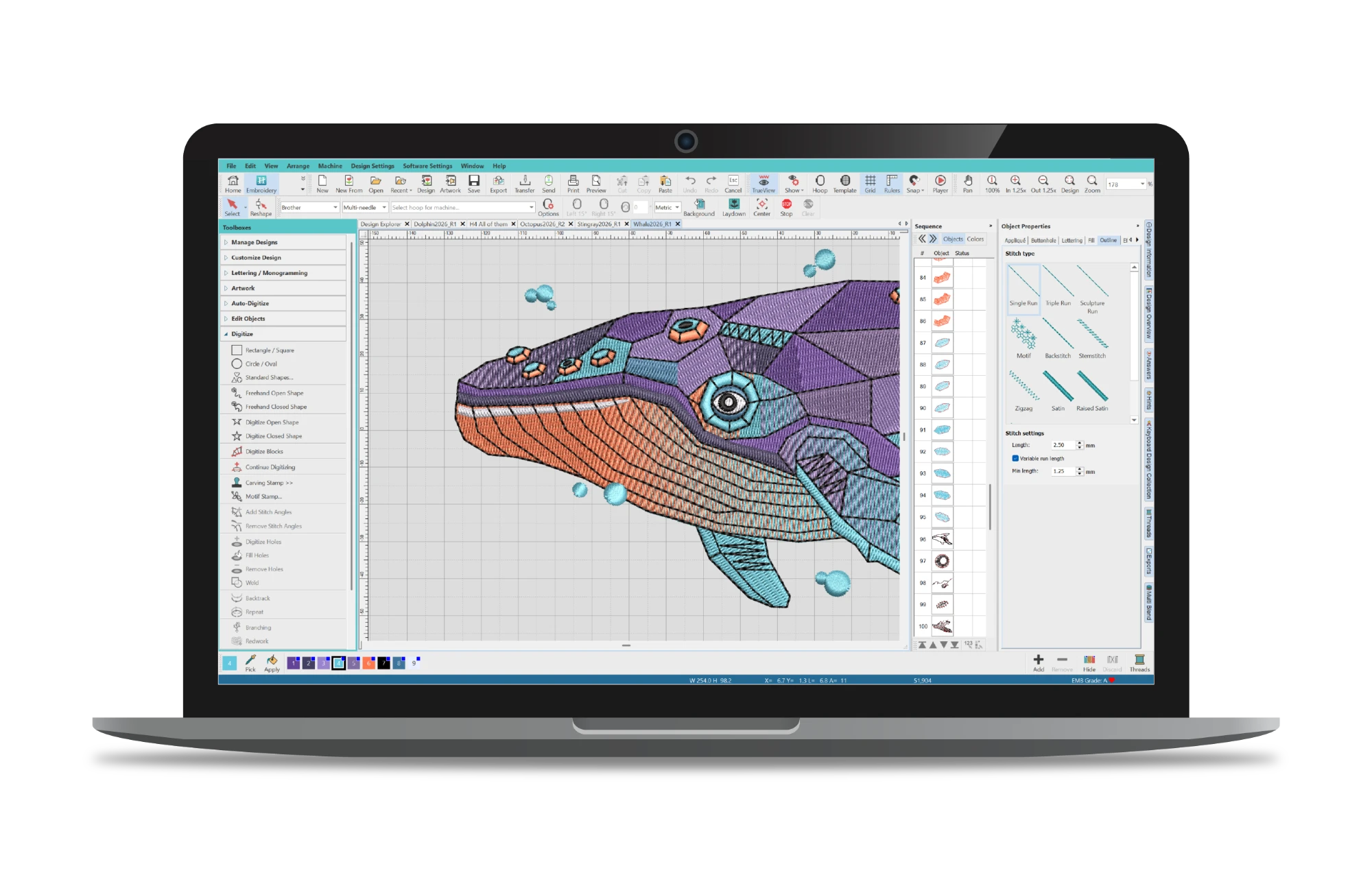


- Auto-digitize artwork into embroidery designs
- Advanced object editing and reshaping tools
- Multi-hooping support for larger projects
- Vector file support for easier design creation
The creative experience,
with more freedom to create.
Unlock more creative freedom with Hatch Embroidery Composer, the perfect choice for embroiderers ready to move beyond basic editing and customization. Composer includes everything in Personalizer, plus powerful editing and auto-digitizing tools that let you reshape designs, create embroidery from artwork, and work with vector graphics with ease.
With advanced object editing, multi-hooping support, and creative layout tools, Composer helps you turn ideas into polished embroidery designs faster than ever. It’s ideal for hobbyists and growing embroidery businesses wanting more flexibility and creative control.
USD $699.00
One-time payment
- *All prices exclude applicable taxes
-
 30-Day Money-Back Guarantee
WHAT'S NEW IN HATCH 4
More creative power,
smarter workflows.
Create more. Refine faster. Stitch smarter. Hatch Embroidery 4 is a major step forward - 25+ new and improved features bringing new creative tools, smarter workflows, and enhanced stitch quality, all in one release.
Multi Blend
Create smooth color transitions, gradients, and shading within a single editable object.
Advanced Appliqué
Work with open-object designs for greater creative freedom.
Continue Digitizing
Extend objects seamlessly without starting over.
Rounded Rectangles
Quickly create polished shapes for logos and layouts.
DXF Support
Import vector artwork without CorelDRAW®.
Automatic Connectors & Trims
Enhanced for cleaner stitch paths with fewer manual adjustments.
Stop Function
Pause your machine exactly where you need for appliqué, quilting, or mixed media.
AI Answers
Built-in AI assistant for instant embroidery guidance.
Improved Grids, Guides & Snap
Faster alignment and precision placement.
Control Point Display
Edit complex designs with clarity.
Warning Controls
Stay informed without distractions.
Design Explorer
Easier design management.
Enhanced Connector & Trim Display
Preview stitch paths clearly before stitching.
Improved Display Colors
Better visibility across all design elements.
Enhanced Gradient Fill Profiles
More intuitive shading and stitch effects.
Wireless Connection for Brother
Send designs directly via Wi-Fi. No USB required.
Appliqué Pattern Printing
Print mirrored or as-digitized templates for perfect placement.
Exports Docker
Track background conversions and export status in real time.
What You Can Do
Everything you need to
create
From turning a photo into a design, to personalising gifts with names and monograms. Hatch Embroidery gives you creative superpowers without the learning curve.
Auto-Digitizing
Turn bitmap and vector artwork into embroidery in one click, then refine colors, shapes, and stitch sequencing with ease.
World-Class Lettering
130 professionally hand-digitized fonts created by our Wilcom experts for the very best quality embroidery lettering available today.
Monogramming
Create polished monograms fast with over 90 built-in templates, 400 ornaments, 375 motifs, and 100 embossed fills.
Multi Blend NEWLimited
Blend colors smoothly across your design, from subtle shading to rich gradients, all in one editable object. No manual stitch setup required.
Multi-Hooping
Stitch designs bigger than your hoop. Hatch automatically splits your design into sections and tells you exactly where to re-hoop - no guesswork needed.
Stop Function NEW
Insert stops anywhere in your design to pause the machine without a color change or trim. Fewer steps, fewer interruptions.
Embroidery Editing
Resizing, recoloring, changing stitch types and angles, weld, knife, break-apart, removing overlaps, color blending, branching, Redwork and more.
Keyboard Design Collection
Map decorative letters and other embroidery artwork to your keyboard for super-fast access.
Laydown Stitch
Automatically create a flat mesh backing on bulky or textured fabrics so that your embroidery design stands out.
Center All Tool
Instantly center your design and hoop in one click for faster setup and cleaner positioning.
Design Explorer
Design Explorer organizes all your designs. Search, sort and browse embroidery designs throughout your PC.
Layout Tools
Mirror objects in seconds, create shading with Color Blend, design instant mandala block effects and so much more.
Learn fast,
create more.
Hatch Academy is the only online learning platform dedicated to Hatch Embroidery software. Designed by Hatch experts, it offers 72+ comprehensive courses with over 400 lessons.
Whether you're a beginner or an advanced user, Hatch Academy helps you unlock the full potential of your embroidery projects.
Free for Hatch Embroidery Digitizer owners!
72+
COURSES
400+
LESSONS
30k+
COMMUNITY
FREQUENTLY ASKED
Questions?
answered.
Start here if you need help:
- Browse the FAQs on this page
- Visit the Hatch Help Center
- Explore the Online User Guide
- Submit a support ticket
Our support team typically replies within one business day.
Hatch Embroidery 4 Help & FAQ
Browse 100+ answers covering features, licensing, compatibility, and more.
What can I do in Composer that I can't do in Personalizer?
Composer adds auto-digitizing (turn photos and artwork into embroidery automatically), layout and reshaping tools, the Knife tool for editing design objects, multi-hooping for large designs, and vector file support via CorelDRAW integration. Personalizer is focused on lettering and monogramming - Composer is for users who want to create and edit their own designs.
Can I auto-digitize photos and artwork in Composer?
Yes - this is one of Composer's key features. You can turn photos and artwork into embroidery automatically in seconds. Note: advanced photographic options like Color PhotoStitch are exclusive to Digitizer.
How many embroidery fonts does Composer include?
Composer includes 78 professionally digitized fonts, plus full lettering and monogramming tools.
Does Composer work with my embroidery machine?
Yes, most likely. Hatch supports file formats used by most major brands including Brother, Janome, Bernina, Baby Lock, Singer, Husqvarna Viking, Pfaff, Tajima, Barudan, and many others. Hatch 4 also adds direct wireless transfer to supported Brother machines.
Is Hatch Embroidery sold as a subscription?
No. Hatch Embroidery is a perpetual license - you buy it once and own it. FlexPay is available if you prefer to spread payments over time, but there's no ongoing subscription required.
What is FlexPay and how does it work?
FlexPay lets you start using Composer today for US$45/month over 16 installments (total US$720), rather than paying upfront. You get full access from day one. No interest is charged, though the total paid may be slightly higher than the one-off price due to administration costs. The 30-day money-back guarantee covers your first payment. FlexPay is available for new software license purchases only.
Can I upgrade from Composer to Digitizer later?
Yes, at any time. You only pay the price difference between the two levels. Sign in to your Hatch account to see your personalized upgrade pricing. All your existing designs carry over.
Can I upgrade from an older version of Hatch to Composer 4?
Yes. Existing Hatch owners receive discounted upgrade pricing based on their current level and version. Sign in to your Hatch account and visit the pricing page.
Can I try Composer before buying?
If you don't already own a Hatch license, yes - the 30-day free trial gives full access to all four levels with no credit card required. You can switch between levels during the trial to find the right fit. If you already own a license, the trial is unavailable, but there's a 30-day money-back guarantee on purchase.
What's the difference between Composer and Digitizer - is it worth upgrading?
Composer covers auto-digitizing and design editing, which suits most hobby and home-based embroidery users. Digitizer adds full manual digitizing from scratch, advanced appliqué, color blending effects, photographic stitching (Color PhotoStitch), and more. If you want to create complex original designs with full stitch-level control, Digitizer is the step up. Compare all levels in detail →
What operating system does Hatch Embroidery 4 require?
Hatch Embroidery 4 is Windows only and requires Windows 11. See the full system requirements for hardware specifications.
What is Hatch Academy and is it included with Composer?
Hatch Academy is Wilcom's exclusive online learning platform with hundreds of lessons, projects, webinars, and community forums. Valued at US$999, it's included free for all Hatch Embroidery 4 owners - including Composer.
Try Composer free
for 30 days
Enjoy unlimited use of Hatch Embroidery Composer Software
- All product levels included
- Free video tutorials and step-by-step training
- Access to Hatch Academy
- Lots of fun, no obligation
No credit card required for trial.
Windows 11 only trial · 2 GB download
Paid licenses compatible with Virtual Machines and Macs