
 Hatch Embroidery Digitizer
 Hatch Embroidery Composer
 Hatch Embroidery Personalizer
 Hatch Embroidery Organizer










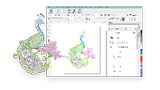












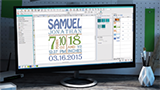



Hatch Embroidery 4
System Requirements
Check that your computer meets the requirements below for the best Hatch Embroidery 4 experience before downloading or purchasing.
Software Licensing
To use Hatch Embroidery, you sign in with your registered Hatch account email address and password. An internet connection is required to sign in. Once signed in, if you tick "Keep me signed in", you will not be asked for your credentials each time you launch the software.
Recommended Computer Specifications
Hatch Embroidery 4 runs on Windows 11 (64-bit) only. Please check your computer meets at least the minimum requirements before downloading.
| Component | Minimum | Recommended |
|---|---|---|
| Operating system | Windows 11 64-bit (latest updates) | Windows 11 64-bit (latest updates) |
| Processor (CPU) | Intel Core i5 (11th Gen) or AMD Ryzen 5 5000 Series | Intel Core Ultra 7/9 or AMD Ryzen 7/9 9000 Series |
| Memory (RAM) | 16 GB | 32 GB or more (DDR5 recommended) |
| Graphics card | Integrated graphics (2 GB VRAM minimum) | Dedicated GPU with 4 GB or more (e.g. NVIDIA RTX 4060 / AMD Radeon RX 7700 XT) |
| Storage | 256 GB SSD, 40 GB free disk space | 1 TB NVMe SSD, 100 GB or more free |
| Monitor | 1920 × 1080 (Full HD), 32-bit colour | Dual monitors at 2560 × 1440 or higher |
| Browser | Microsoft Edge (latest version) | Microsoft Edge (latest version) |
| Internet | Required for activation, registration, updates, and saving designs | Broadband connection recommended |
| USB port | Required for EmbroideryConnect WiFi Device | Required for EmbroideryConnect WiFi Device |
| Sound | Required for online video help and Hatch Academy | Required for online video help and Hatch Academy |
Not sure if your device is compatible?
Internet & Offline Use
An internet connection is required to sign in and authenticate Hatch Embroidery software, export design files, receive software updates, and access online content including Hatch Academy.
You can use Hatch Embroidery offline, provided you connect to the internet at least once every 30 days so that your software license can be validated.
Running Hatch Embroidery 4 on a lower specification computer may result in the software running slower and not performing as expected.
Download Hatch Embroidery 4
and start creating
Try all four levels free for 30 days, or buy now and get instant access to your software.