Categories
Elastic Embossed Fills & Color Variations on a Theme

Hatch
Blog | Inspiration | How to
2 minute read
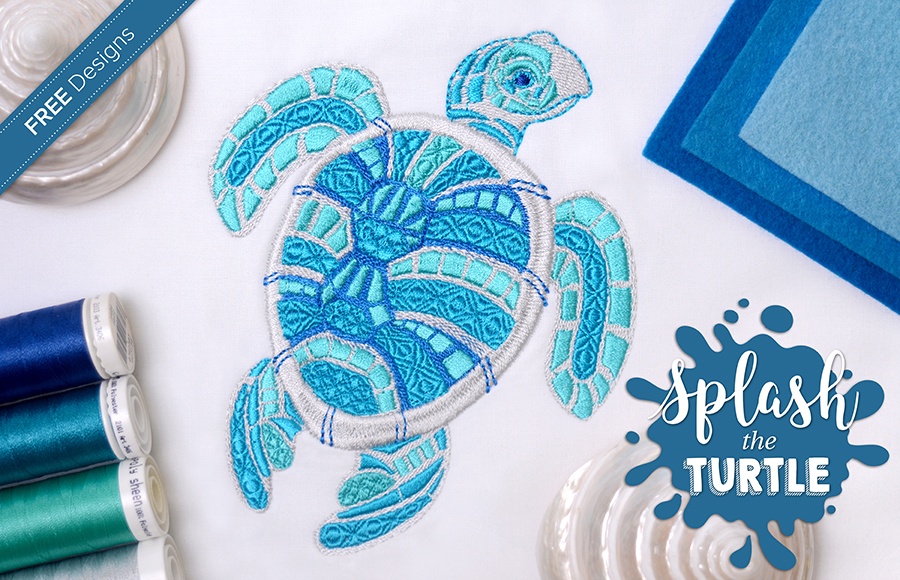
Splash the Turtle is Making Waves - FREE Designs

Elastic Embossed Fills
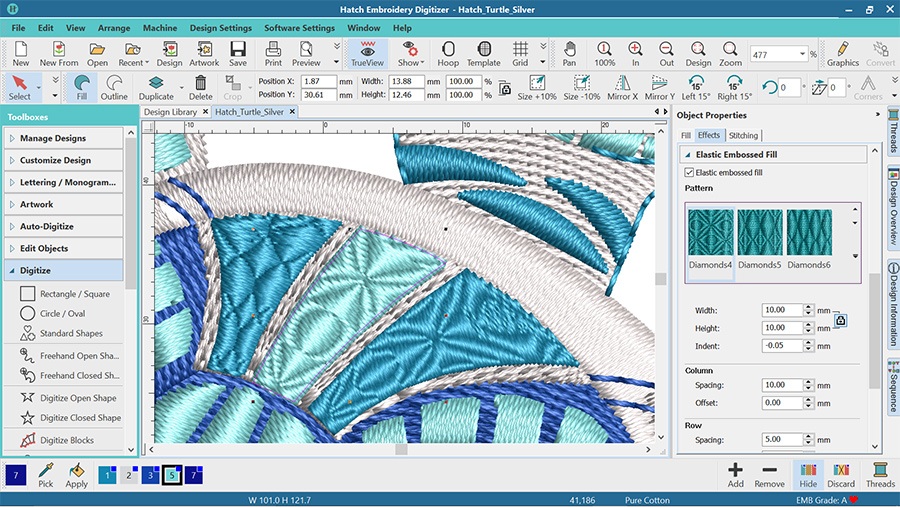
Hatch Embroidery Digitizer comes with 105 different Embossed fills and they can be used to create Elastic Embossed Fills. It is a beautiful decorative effect where the pattern follows the stitch angle and it adjusts to the width of the embroidery object.
How to Add Embossed Fills to Your Objects?
Create a closed shape object with Satin Fill. Open the Object properties box:
Edit Objects > Object Properties or by double clicking the object.
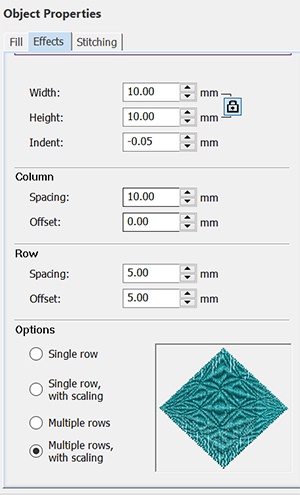
Click the Effects tab and tick the Elastic Embossed fill box. You can select from the 105 different fills.

You can adjust the dimensions of the pattern and select from 4 different options.

Creating Variations of a Color Scheme
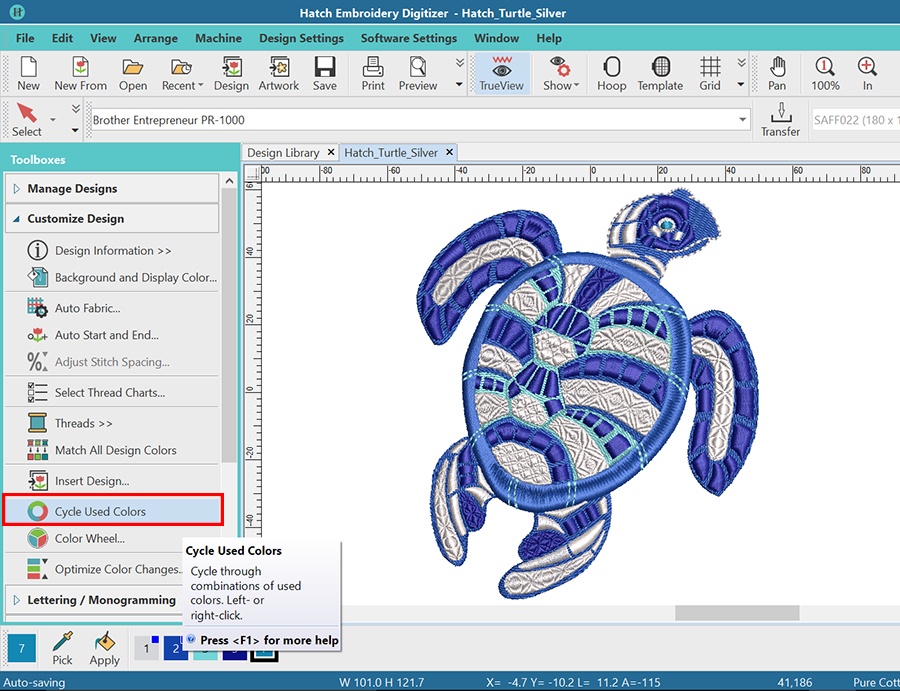
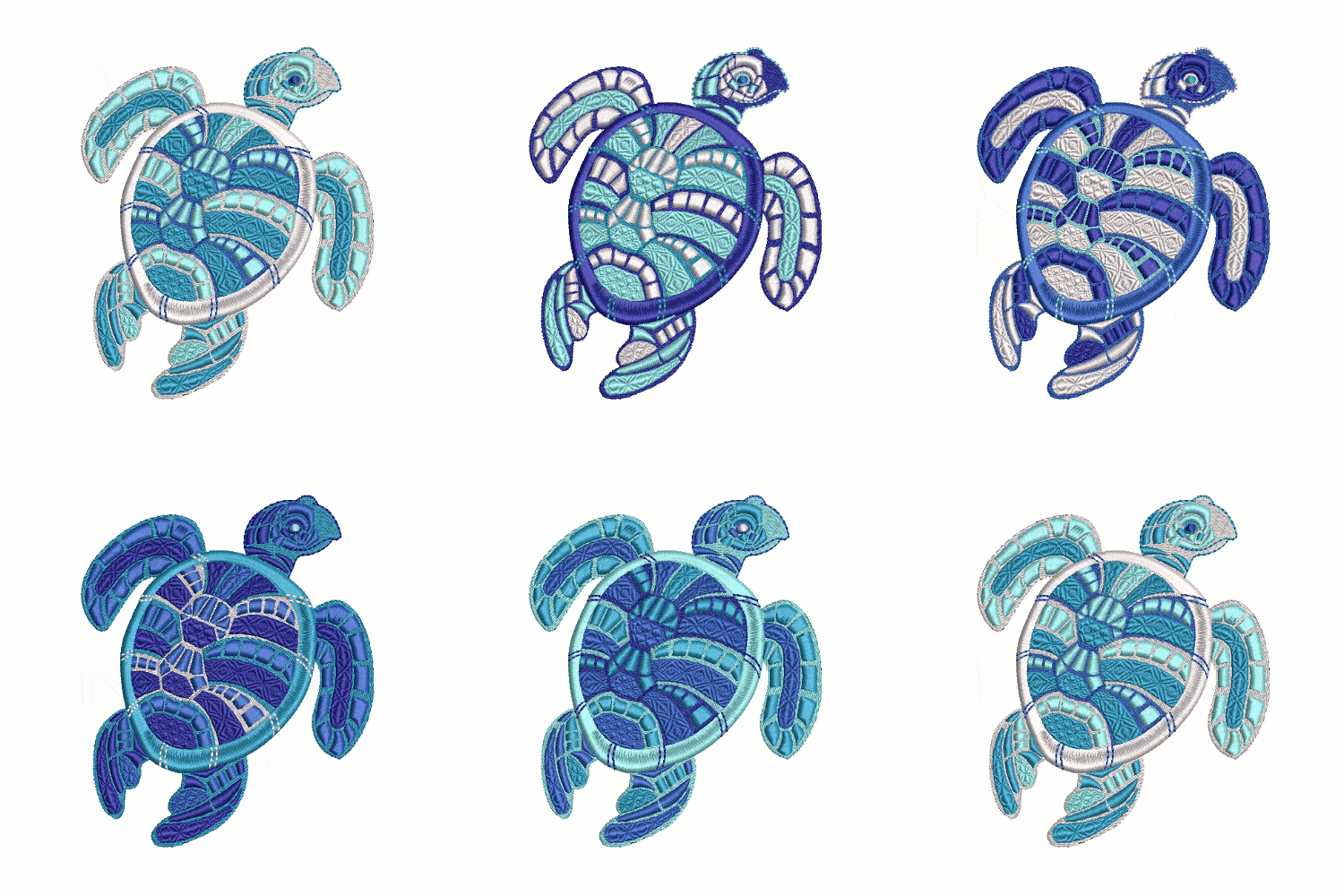
Once you allocated colors to your design, you can use the Cycle Used Colors tool to cycle the colors to create variations, and see which one you like best. It is also great if you want to stitch your design on a different color fabic.
Customize Designs > Cycle Used Colors

You can see the different color variations by clicking the tool.

Access all five variations of this beautiful FREE Turtle design by clicking the button below.
Please note: You will need to sign in or register a free account to access the Free Designs section.
Once you registered an account, you will have unlimited access to ALL the free designs that are currently on the Hatch Embroidery website and future ones two. You will also automatically receive our newsletter about free projects and designs. You will NOT be requested to download the software. Having an account does not come with any obligations to you at all.
Did you find this article helpful or interesting? Please leave a comment below. We would love to hear your feedback!
Hatch Embroidery software products are in popular use in over 100 countries. It is time to join the global trend and give Hatch Embroidery a try! The 30-day Free Trial grants you unlimited use of all the amazing features and the 30-day Money Back Guarantee ensures that there is absolutely no risk involved.

The definite choice when selecting embroidery software
Hatch Embroidery software is a comprehensive embroidery design solution that offers a range of tools and features for both beginners and seasoned embroiderers.
Here’s why it's a great choice:
- User-Friendly Interface: The software is designed with a user-friendly interface that makes it easy for anyone to start creating beautiful embroidery designs, regardless of their experience level.
- Powerful Editing Tools: It provides powerful editing tools that allow users to resize, edit, and adjust embroidery designs with precision. This is essential for businesses that need to customize designs according to specific customer requirements.
- Wide Range of Formats Supported: Hatch Embroidery supports a wide range of machine file formats, making it versatile for use with different embroidery machines. This flexibility is crucial for businesses operating with multiple machine types.
- Professional Quality: The software generates professional-quality stitches, ensuring that the end products are of high quality, which is vital for maintaining customer satisfaction and business reputation.
- Extensive Design Features: With features like auto-digitizing, lettering, monogramming, and even special effects, businesses can offer a wide range of embroidery services, increasing their market appeal and potential revenue streams.
- Regular Updates and Support: Hatch provides regular software updates and robust customer support, ensuring that businesses can always access the latest features and get help when needed.
Overall, Hatch Embroidery software equips you with the tools necessary to create stunning, high-quality embroidery designs efficiently and effectively, enhancing productivity and customer satisfaction.
Related Articles
Multi Blend in Hatch Embroidery: Create Smooth Color Blends
7 minute read
The new Multi Blend tool in Hatch Embroidery 4 makes creating realistic embroidery with depth, shading,... more »
Halloween Circle of Ghosts & Graves
2 minute read
There are many great elements to this fun Halloween machine embroidery design, so I got to utilize a... more »
Learn About Hatch Embroidery Auto-Digitizing
2 minute read
One of the key features of Hatch Embroidery Software is Auto-Digitizing which enables you to turn... more »
Manual Digitizing with Hatch Embroidery
3 minute read
Before you can learn to master manual Digitizing with Hatch Embroidery, you need to learn what embroidery... more »