

 Hatch Embroidery Digitizer
 Hatch Embroidery Composer
 Hatch Embroidery Personalizer
 Hatch Embroidery Organizer










Multi Blend in Hatch Embroidery: Create Smooth Color Blends

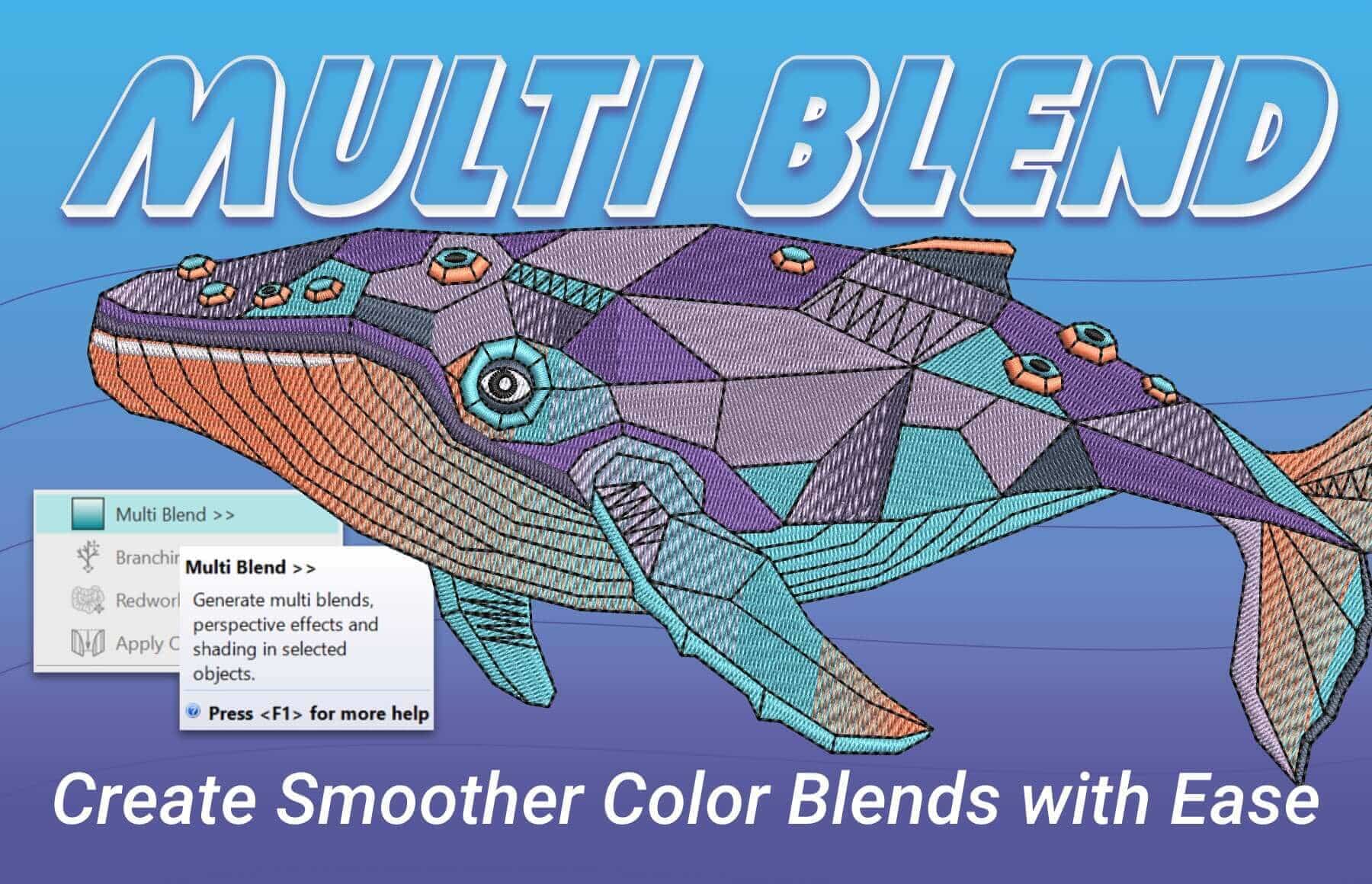
Table of Contents
- From Flat Color to Smooth Blends
- 20+ Ready-Made Profiles
- Add Shading and Depth
- Layer Multiple Stitch Types and Fills
- Make Changes Without Starting Over
- Spend Less Time Digitizing, More Time Creating
- Learn in Hatch Academy
- FAQs
- ⭐⭐⭐⭐⭐
- The definitive choice when selecting embroidery software for your home embroidery business.
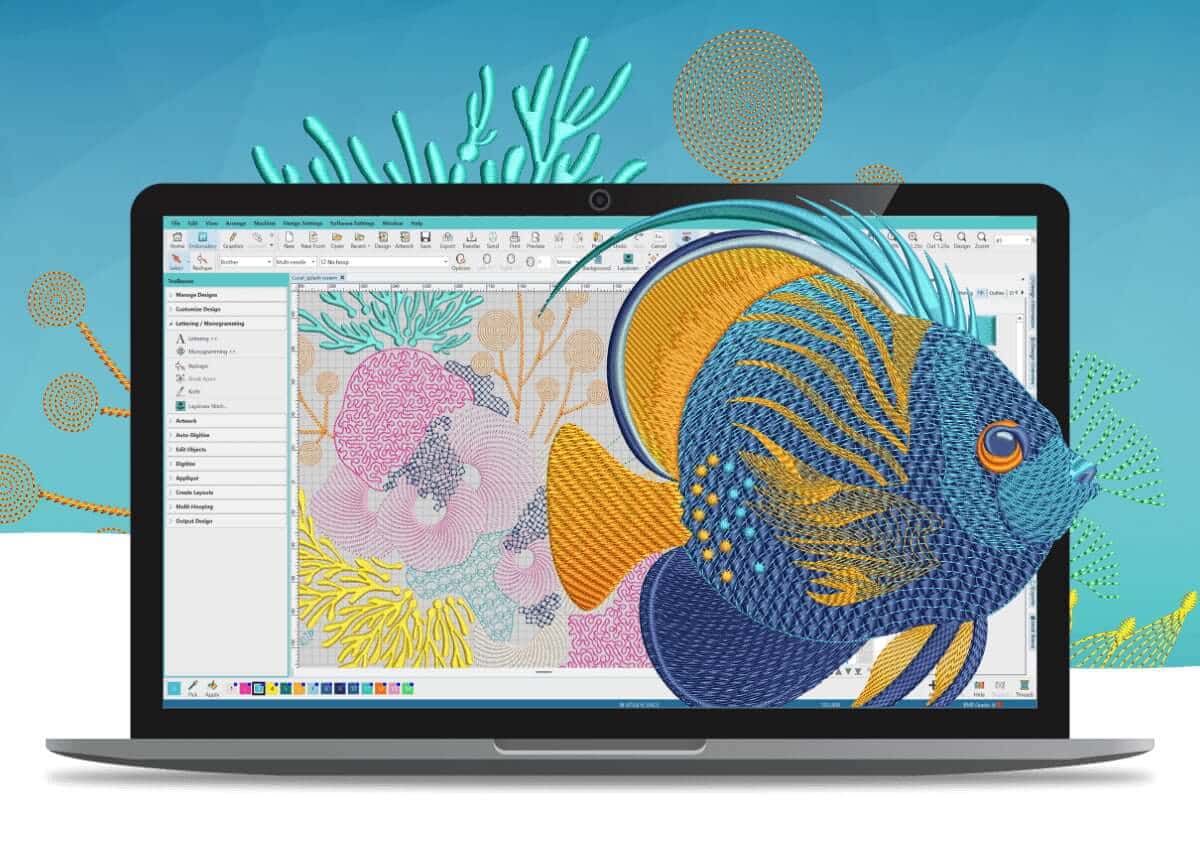
The new Multi Blend tool in Hatch Embroidery 4 makes creating realistic embroidery with depth, shading, and natural color transitions easy. Traditionally, achieving a blended effect might mean manually setting up multiple objects, stitch types, and color changes, and then adjusting everything again if you decide to change the design.
Transform a flat color fill into a smooth, multi-colored blend in seconds. Instead of manually digitizing every element of the color transition, you can choose from more than 20 ready-made Profiles designed to create natural-looking blends for different effects, including fire, water, grass, and more.
The result? More depth and dimension in your embroidery, with less time spent setting up stitches.
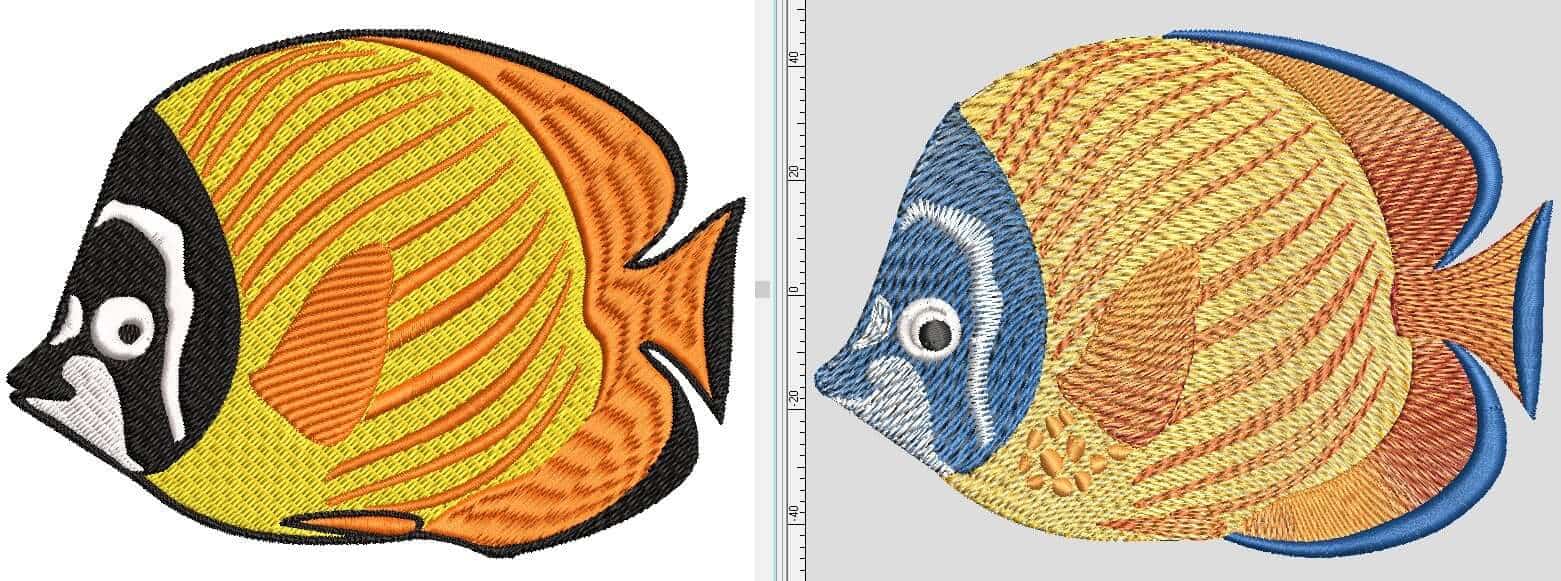
From Flat Color to Smooth Blends
A solid fill can be a great starting point for an embroidery design, but sometimes you want more. Adding color variation can help create the appearance of movement, texture, shading, and depth.
Rather than rebuilding your design from scratch, Multi Blend allows you to apply a blend to an existing object and create a smooth flow between multiple colors. You can experiment with different color combinations and effects without having to manually digitize each section.
It is a faster way to take a simple design element and give it a more finished, dimensional appearance.
20+ Ready-Made Profiles
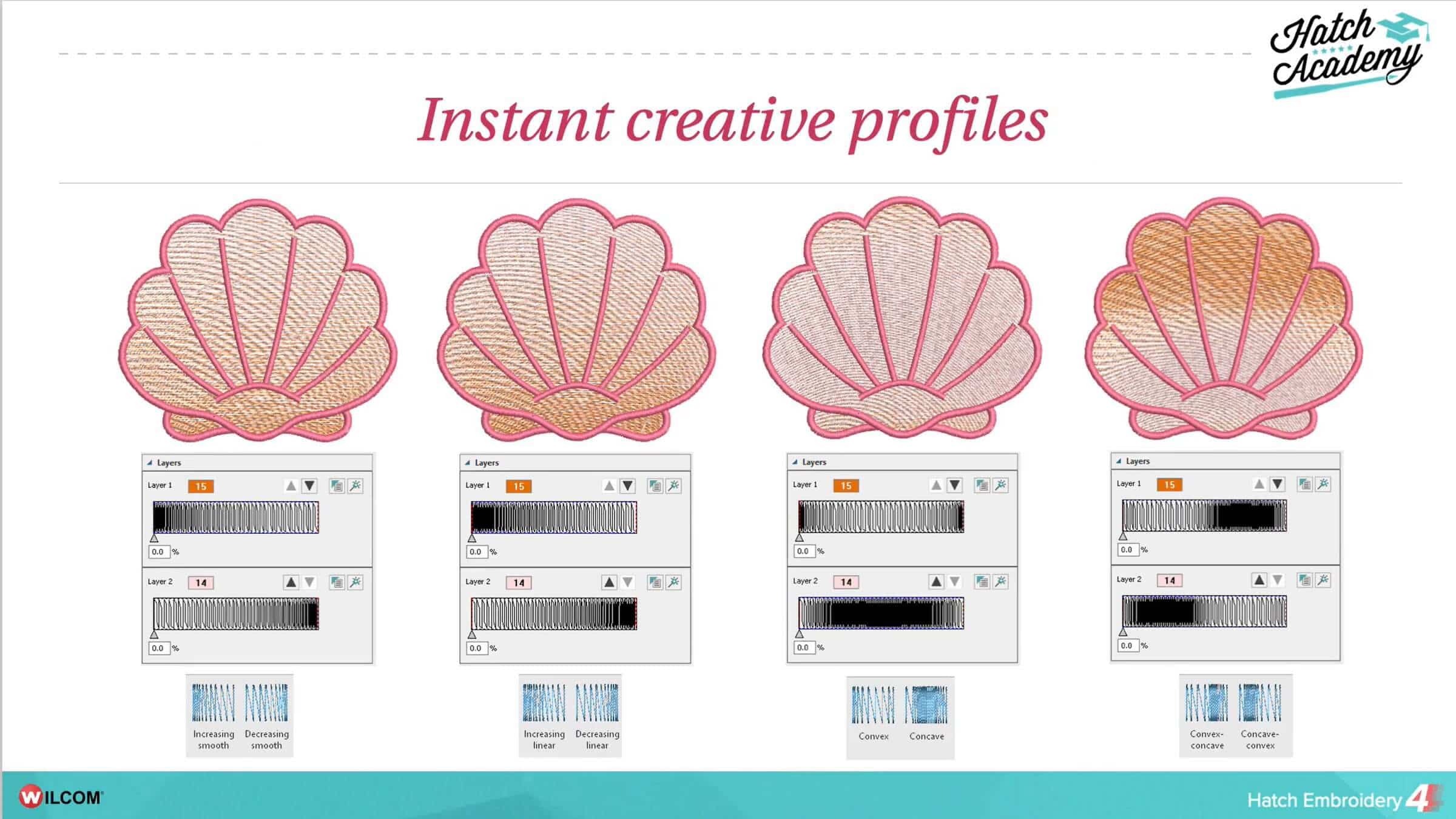
Not sure where to start? Multi Blend includes 20+ ready-made Profiles that make it easy to create different color effects.
- Smooth
- Linear
- Convex
- Convex - Concave
- Autumn
- Bamboo Forest
- Blue - Green Sea
- Caribbean Waters
- Chrome
- Cranberry
- Evening Fire
- Fire and Ice
- Grass 1
- Grass 2
- Halloween
- Holiday
- Ocean
- Pink Sunset
- Pumpkin
- Sunset
- Wedding
- Wood
Profiles are designed to help you achieve specific types of visual effects, with options suited to elements such as fire, water, grass and other natural subjects.
Simply choose a Profile and apply it to your design. Instead of spending time figuring out how to build the color transitions yourself, you have a starting point ready to go.
This makes Multi Blend particularly useful when you're experimenting with new styles or want to quickly add more visual interest to a design.
And because you can continue adjusting your design, choosing a Profile doesn't mean you're locked into the result.
Add Shading and Depth
One of the biggest advantages of color blending is the ability to create a sense of depth.
Embroidery is naturally dimensional because stitches build up on the fabric, but color can enhance that effect even further. Subtle transitions between shades can help an object look softer, more rounded, or more three-dimensional.
Think about a flame. A flat red shape gives you the basic outline, but introducing transitions between reds, oranges, and yellows can make the flame appear to have movement and intensity.
The same principle can be used for natural elements such as water, foliage, flowers, landscapes, and many other designs.
With Multi Blend, you can create these transitions without having to manually set up every individual color section.
Layer Multiple Stitch Types and Fills
Multi Blend isn't limited to a single simple fill. You can layer multiple stitch types and fills within one object, giving you even more creative possibilities.
Combining different stitch treatments can add texture as well as color variation. This can be particularly effective when you're looking to create designs that have a more complex or artistic appearance.
Rather than treating every part of a design as a separate object, Multi Blend gives you greater flexibility to work with different stitch and fill combinations together.
This opens up opportunities to experiment with how color and stitch interact — and to create effects that would otherwise require considerably more manual digitizing.
Make Changes Without Starting Over
Creative work rarely happens perfectly the first time. You might decide that a color needs to be brighter, a transition needs to be softer, or a different Profile would work better.
With Multi Blend, you can keep experimenting.
You can adjust, reorder, and restyle the blend without having to start the design again. This makes it easier to try different looks and refine your embroidery as you go.
That flexibility is especially valuable when you're developing a design for a customer or creating something where the final result needs to match a particular color scheme.
Instead of spending time rebuilding your stitch setup every time you make a change, you can focus on refining the design itself.
Spend Less Time Digitizing, More Time Creating
Creating sophisticated color transitions manually can involve considerable planning and digitizing work. Multi Blend takes much of that complexity out of the process, giving you ready-made Profiles and the flexibility to customize the result.
Whether you're creating a fiery design, adding movement to water, giving foliage more depth, or simply looking for a way to make your embroidery more visually interesting, Multi Blend provides a faster way to get there.
From flat color to smooth blends in seconds with no guesswork and no rebuilding.
Multi Blend is another way Hatch Embroidery 4 helps you spend less time setting up stitches and more time exploring your creativity.
Learn in Hatch Academy
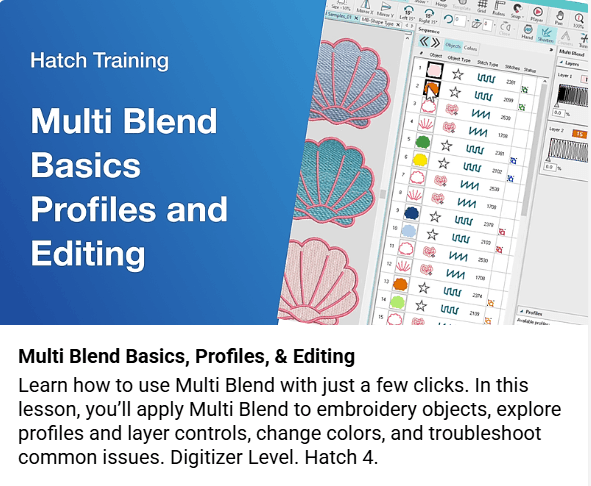
The Multi Blend Basics, Profiles & Editing course in Hatch Academy is a great way to get hands-on with this new Hatch 4 feature. Designed for Digitizer-level users, the course covers everything from applying Multi Blend to embroidery objects and exploring ready-made Profiles to changing colors, using layer controls, editing objects, and creating custom Profiles. It also includes practical guidance for troubleshooting common issues, helping you build confidence and get the most from this fantastic tool.
Ready to Try It?
Explore Hatch Embroidery 4 and experiment with color, shading, stitch types, and fills to create embroidery with greater depth and dimension.
With more than 20 ready-made Profiles and the freedom to adjust your results at any stage, creating beautiful blended effects has never been easier.
Learn more in the Online User Guide.
FAQs
What is Multi Blend in Hatch Embroidery 4?
Multi Blend is a tool in Hatch Embroidery 4 that lets you create smooth color transitions by combining multiple colors, stitch types and fills within an object.
What can I use Multi Blend for?
Multi Blend can be used to add color variation, shading and depth to embroidery designs. Its ready-made Profiles are ideal for effects such as fire, water, grass and more.
How many Multi Blend Profiles are included?
Hatch Embroidery 4 includes more than 20 ready-made Multi Blend Profiles, giving you a range of starting points for creating different blended effects.
Do I need to manually digitize colour transitions with Multi Blend?
No. Multi Blend creates smooth colour transitions without requiring you to manually set up each stitch section, making it much faster to create blended effects.
Can I edit a Multi Blend after applying it?
Yes. Multi Blend objects can be adjusted, reordered and restyled, allowing you to refine the result without having to rebuild the design from scratch.
Where can I learn how to use Multi Blend?
The Multi Blend Basics, Profiles & Editing course in Hatch Academy provides hands-on guidance on applying Multi Blend, using and editing Profiles, changing colors, working with layers and creating custom Profiles.
⭐⭐⭐⭐⭐
The definitive choice when selecting embroidery software for your home embroidery business.
Hatch Embroidery software is a comprehensive embroidery design solution that offers a range of tools and features for both beginners and seasoned embroiderers.
Here’s why it's a great choice for your business:
- User-Friendly Interface: The software is designed with a user-friendly interface that makes it easy for anyone to start creating beautiful embroidery designs, regardless of their experience level.
- Powerful Editing Tools: It provides powerful editing tools that allow users to resize, edit, and adjust embroidery designs with precision. This is essential for businesses that need to customize designs according to specific customer requirements.
- Wide Range of Formats Supported: Hatch Embroidery supports a wide range of machine file formats, making it versatile for use with different embroidery machines. This flexibility is crucial for businesses operating with multiple machine types.
- Professional Quality: The software generates professional-quality stitches, ensuring that the end products are of high quality, which is vital for maintaining customer satisfaction and business reputation.
- Extensive Design Features: With features like auto-digitizing, lettering, monogramming, and even special effects, businesses can offer a wide range of embroidery services, increasing their market appeal and potential revenue streams.
- Regular Updates and Support: Hatch provides regular software updates and robust customer support, ensuring that businesses can always access the latest features and get help when needed.
Overall, Hatch Embroidery software equips your business with the tools necessary to create stunning, high-quality embroidery designs efficiently and effectively, enhancing productivity and customer satisfaction, making it pivotal when selecting suppliers and supplies for your home embroidery business.
Hatch Embroidery software products are in popular use in over 120 countries. It is time to join the global trend and give Hatch a try! The 30-Day Free Trial grants you unlimited use of all the amazing features and the 30-Day Money-Back Guarantee ensures that there is absolutely no risk involved. In fact, choosing Hatch Embroidery software is one of the smartest things you can do when selecting suppliers and supplies for your home embroidery business.
Enjoy over 200 FREE lessons presented by our own embroidery experts at Hatch Academy. Grow your confidence and embroidery skills fast to start creating your own beautiful designs in no time!
 |  |  |  |
| Hatch Academy over 500 FREE lessons for software owners | 30-Day | Money-Back Guarantee ease of mind | Hatch FlexPay monthly installments |
Related Articles

Categories
- Popular Posts
- Recent Posts