
 Hatch Embroidery Digitizer
 Hatch Embroidery Composer
 Hatch Embroidery Personalizer
 Hatch Embroidery Organizer



















Categories
- Popular Posts
- Recent Posts
Categories
Embroidery Memories: How Kevin Loh Turns Pet Portraits into Art

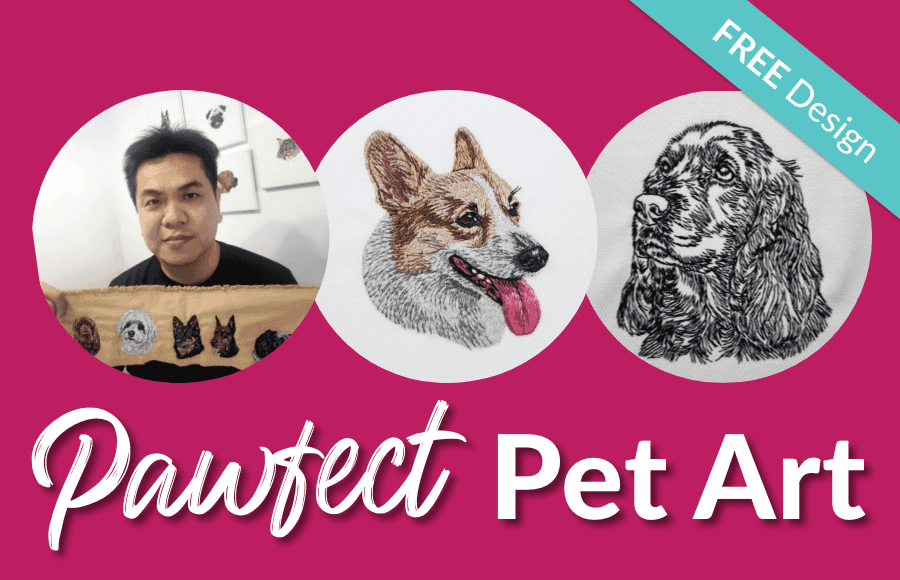
Some embroiderers stitch designs. Others stitch embroidery stories.
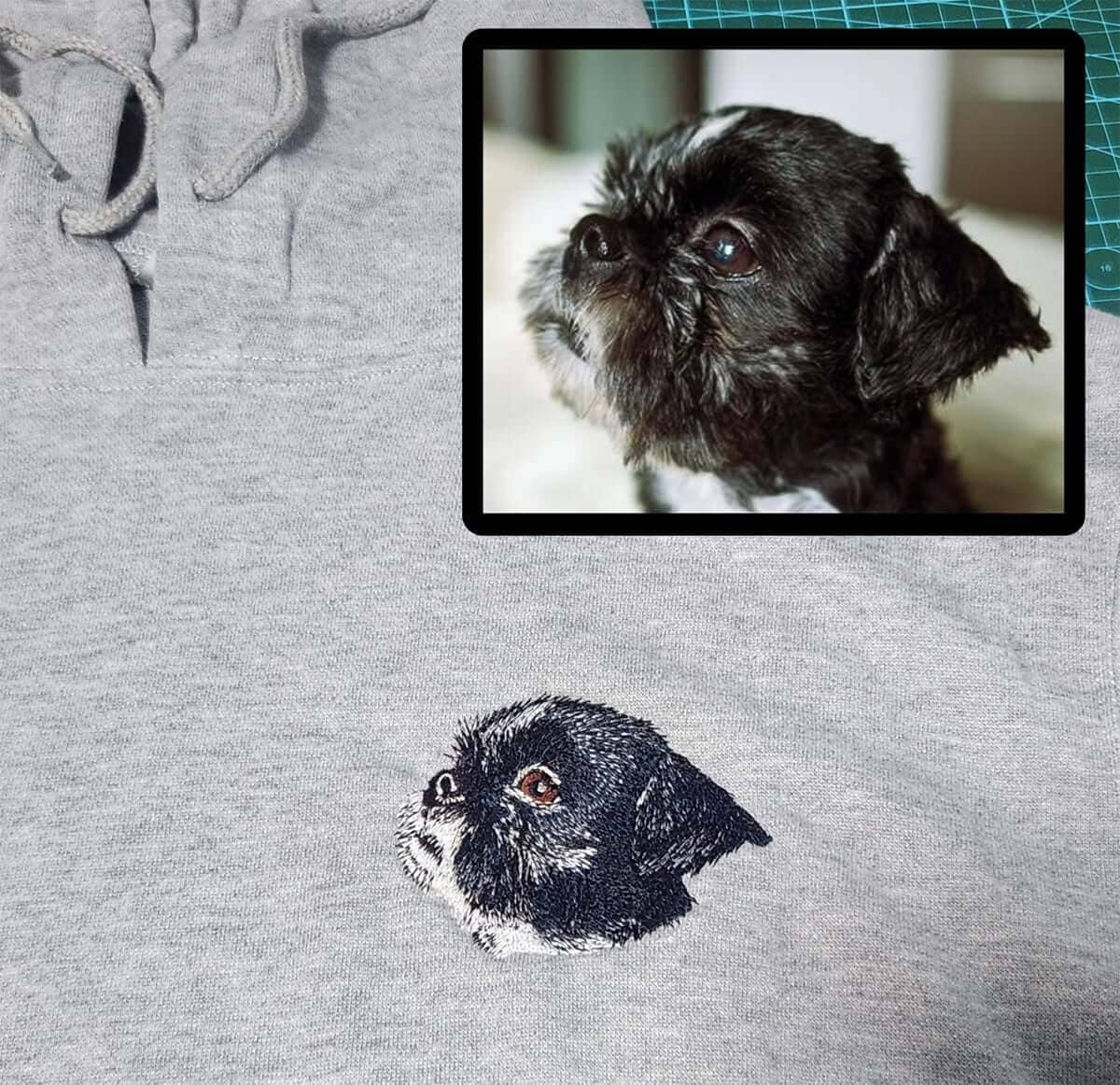
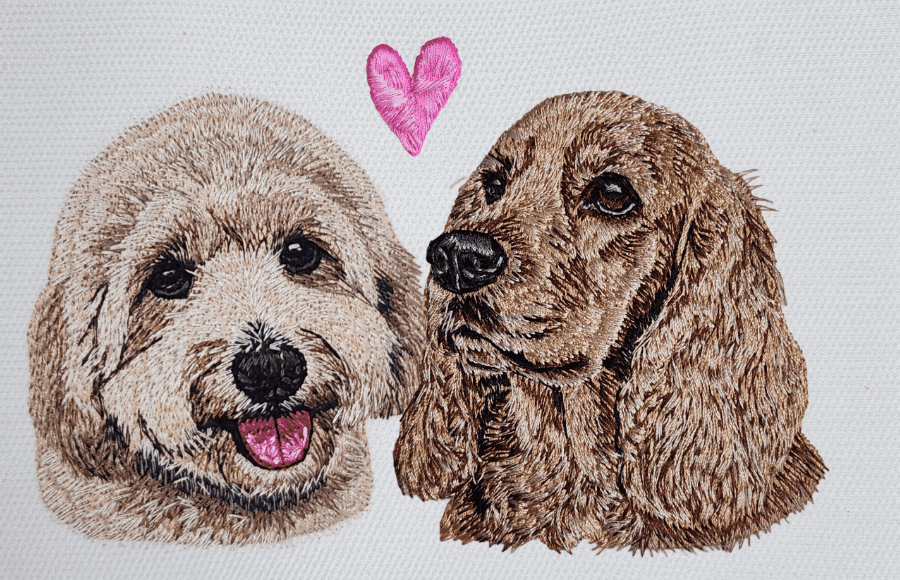
Singapore-based embroidery business owner Kevin Loh, founder of K&K Embroidery & Gifts, does both, especially when it comes to pets. Known for his highly detailed photorealistic dog portraits, Kevin has built a growing business that blends artistry, skill, and deep emotional connection. Today, nearly 90% of his library consists of dog designs, carefully digitized by hand.
But his journey into pet embroidery didn’t begin with expertise. It began with a memorial.
In 2022, a customer asked Kevin to create a patch commemorating two beloved dogs that had passed away. At the time, he hadn’t started digitizing animals, so he outsourced the design. Although the customer was pleased, Kevin felt there was room for improvement. That experience sparked something unexpected: a determination to learn how to digitize animals himself, not just adequately, but beautifully.
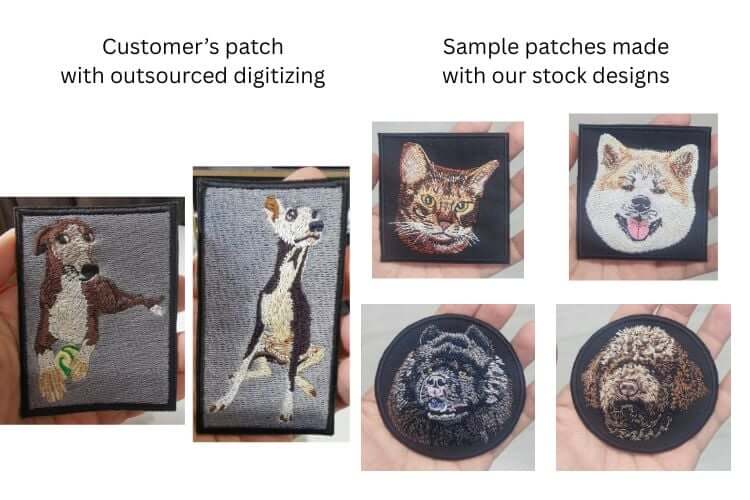
What followed was a period of intense learning and experimentation. Kevin studied fur textures, shading, highlights, and the small facial details that bring pets to life. Through trial and practice, he refined a technique that blends realism with stitch efficiency. Today, his pet portraits are instantly recognizable: expressive eyes, soft layered fur, and an artistic style that feels both precise and heartfelt.
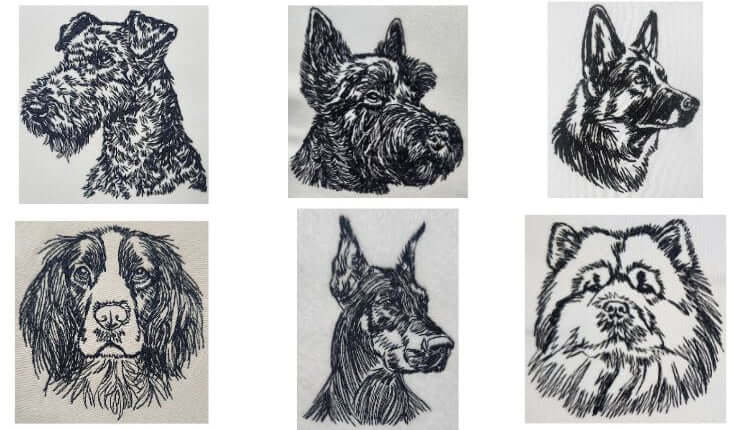
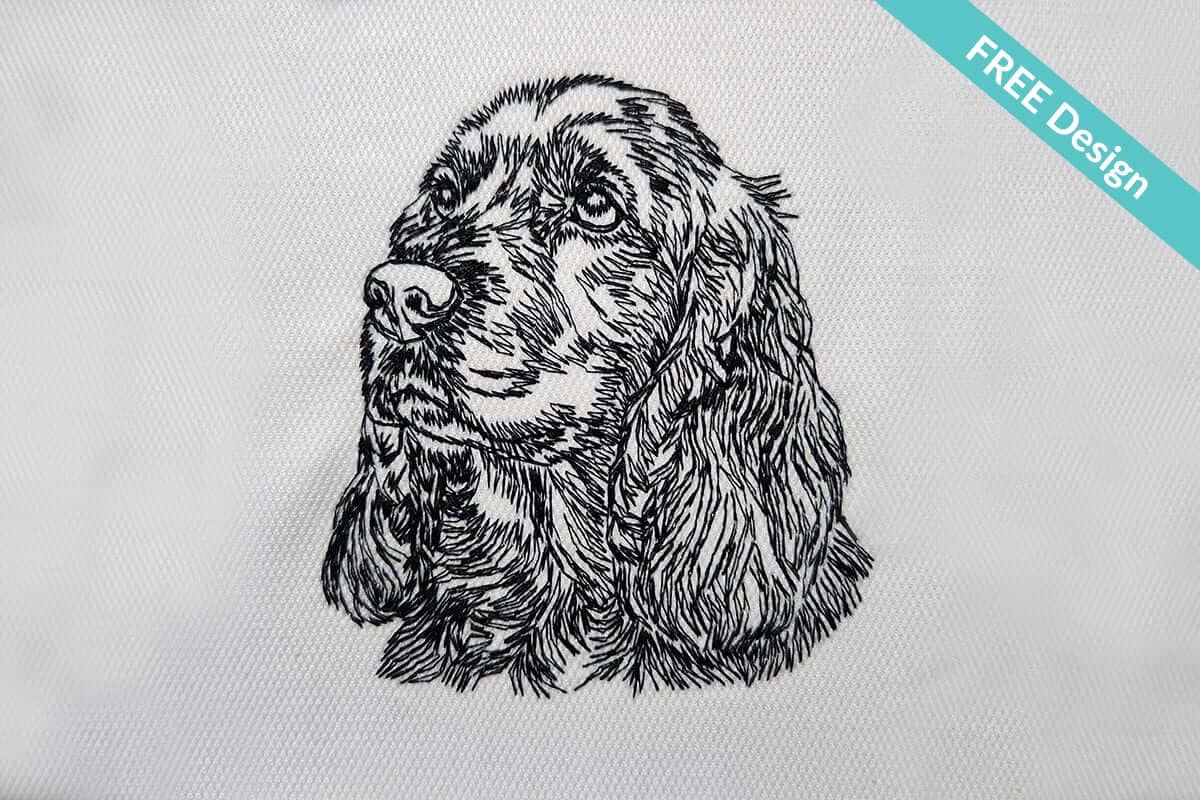
While Kevin’s specialty lies in full-color, photorealistic designs, his creativity extends far beyond advanced digitizing. He also enjoys creating beginner-friendly single-color pet outline designs. They are charming, versatile, and fast to stitch.
"I started looking for embroidery software when I launched my business in 2019. I tried several options, but Hatch caught my attention with its full-featured free trial, which allowed designs to be saved and stitched out. I started with Hatch 2 and later upgraded to Hatch 3.
What I like most about Hatch is the variety of tatami fill patterns, which help me mimic realistic fur textures. I also appreciate the ability to adjust details such as stitch density, stitch length, and feathered edge effects.
Another feature I find very useful is the laydown function, which lets me create a centralized underlay that supports fill stitches running in different directions."
A Special Gift for Hatch Users: Free Outline Design + Step-by-Step Tutorial
Kevin has created an exclusive tutorial showing you how to mount an embroidered dog outline onto a stretched canvas frame, the perfect way to display pet art as home décor, wall hangings, or heartfelt gifts.
The project is intentionally simple, making it ideal for beginners, yet the result looks polished and professional. The tutorial includes:
✔ A free single-color dog outline design
✔ Step-by-step instructions
✔ Clear measurement and centering guidelines
✔ Tips for tension, folding corners, and mounting
✔ A clean, gallery-style framing method using common tools
Whether you're stitching a gift for a fellow pet lover or creating a keepsake of your own furry friend, this project is accessible, rewarding, and beautifully personal.
Kevin’s approach focuses on precision and ease — especially when it comes to centering and mounting your embroidery.
Step 1: Hoop & Prepare Your Embroidery
Start by loading the included dog outline design into your machine and hooping a cotton canvas fabric with tearaway stabiliser. Kevin emphasizes:
- Smooth fabric tension
- A firm hoop
- Proper design alignment
Once stitched, gently tear away the stabilizer and protect your embroidery by pressing only the edges.
Step 2: Centre the Design on the Canvas Frame
This is where Kevin’s mathematical precision shines.
Using a 20 × 20 cm stretched canvas, he provides exact spacing measurements so your embroidery sits perfectly centered. He walks you through calculating side spacing based on design width, frame border and thickness, and shows how to mark these positions with tailor’s chalk for accuracy.
It’s one of the clearest, most beginner-friendly centering guides you’ll find.
Step 3: Stretch & Staple the Fabric
With the fabric centered, Kevin guides you through anchoring the fabric:
- Staple the first side.
- Pull firmly and secure the opposite side.
- Alternate top and bottom for even tension.
- Adjust if needed. He even teaches how to remove staples safely.
This creates a smooth, crease-free surface worthy of display.
Step 4: Fold & Secure the Corners
Kevin demonstrates how to fold corners “like wrapping a gift,” using tweezers for tricky edges. Each corner is secured neatly, trimmed, and tightened to give the frame clean lines and a professional finish.
Step 5: Displaying Your Finished Piece
For hanging, Kevin recommends a sawtooth hanger, attached to the inner top edge of the wooden frame. Adhesives aren’t reliable with fully wrapped fabric and Kevin ensures your artwork stays safe on the wall.
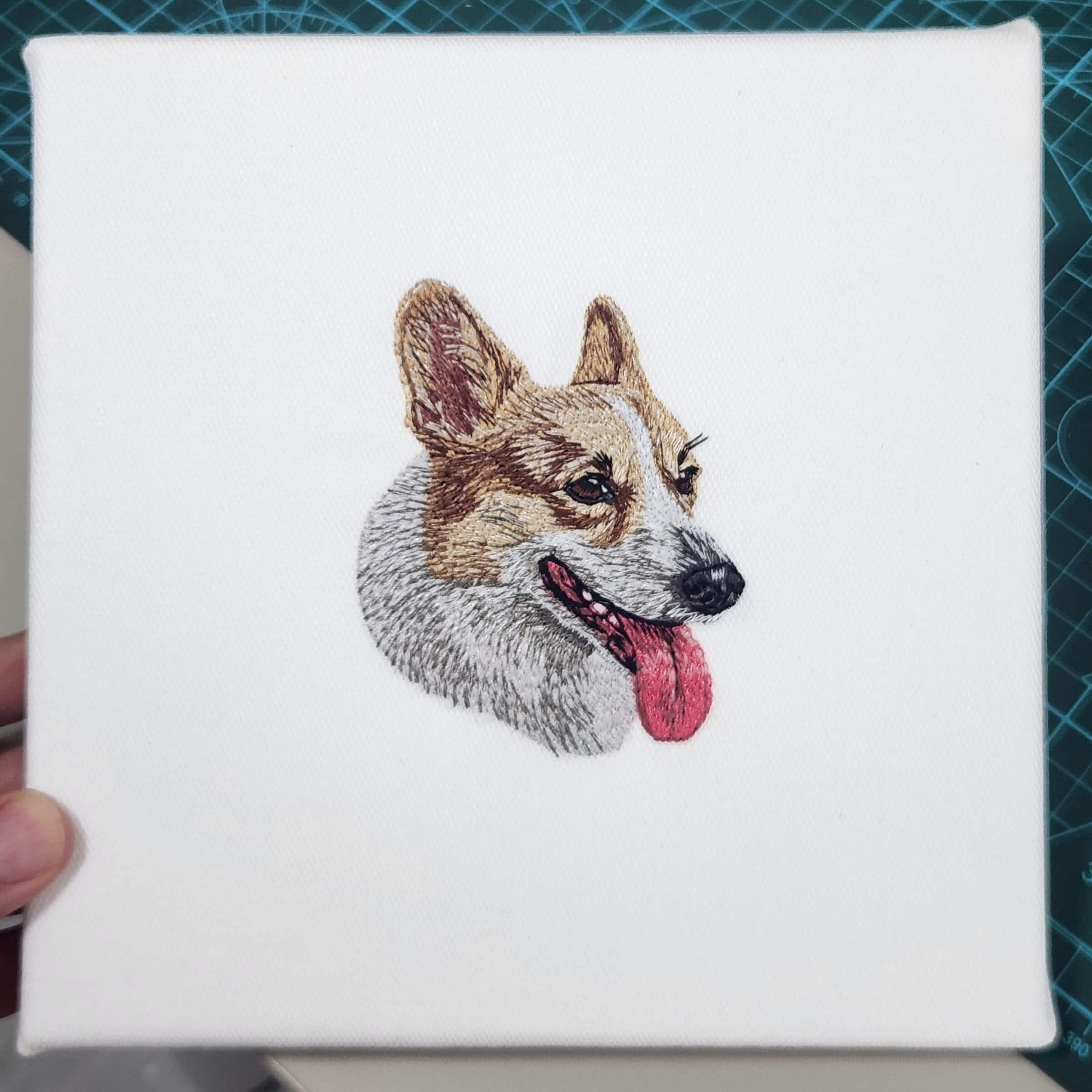
Not only does Kevin share a generous free design, he also provides a technique that empowers any embroiderer - beginner or experienced - to create meaningful, display-worthy art. Stretched canvas mounting is elegant, inexpensive, and elevates a simple outline design into something home-ready.
For pet lovers, it becomes even more special.
And for Hatch users, this project is a perfect example of how creativity, community, and craft come together.
Check out Kevin's website. You can also follow him on Facebook, Instagram, YouTube and TikTok.
 |  |  |  |
| Hatch Academy over 200 FREE Lessons | 30-Day FREE Trial all the tools & features | Money-Back Guarantee ease of mind | FlexPay monthly instalments |
FAQs
Who is Kevin Loh?
Kevin Loh is the founder of K&K Embroidery & Gifts, based in Singapore. He is an embroidery business owner known for his photorealistic embroidered dog portraits, all manually digitized using Hatch software.
Is the pet design really free?
Yes! Kevin has generously provided a free single-color dog outline design for Hatch users so you can follow along with the tutorial and create your own personalized pet wall art.
Is this project suitable for beginners?
Absolutely. The tutorial is designed to be beginner-friendly, using a simple outline design and clear step-by-step instructions. No advanced digitizing skills are required.
What will I learn from the tutorial?
You’ll learn how to hoop and stitch the design, accurately centre your embroidery, stretch and staple fabric onto a canvas frame, fold neat corners, and safely hang your finished artwork.
Do I need special tools or materials?
No specialist equipment is required. The tutorial uses common embroidery and craft tools such as a staple gun, scissors, ruler, and a stretched canvas frame, along with cotton canvas fabric and tearaway stabilizer.
Does the tutorial teach pet digitizing?
No. While Kevin is highly skilled in photorealistic pet digitizing, this tutorial focuses on stitching and finishing techniques, not digitizing. However, it demonstrates what’s achievable with Hatch through practice and creativity.
The definite choice when selecting embroidery software
Hatch Embroidery software is a comprehensive embroidery design solution that offers a range of tools and features for both beginners and seasoned embroiderers.
Here’s why it's a great choice:
- User-Friendly Interface: The software is designed with a user-friendly interface that makes it easy for anyone to start creating beautiful embroidery designs, regardless of their experience level.
- Powerful Editing Tools: It provides powerful editing tools that allow users to resize, edit, and adjust embroidery designs with precision. This is essential for businesses that need to customize designs according to specific customer requirements.
- Wide Range of Formats Supported: Hatch Embroidery supports a wide range of machine file formats, making it versatile for use with different embroidery machines. This flexibility is crucial for businesses operating with multiple machine types.
- Professional Quality: The software generates professional-quality stitches, ensuring that the end products are of high quality, which is vital for maintaining customer satisfaction and business reputation.
- Extensive Design Features: With features like auto-digitizing, lettering, monogramming, and even special effects, businesses can offer a wide range of embroidery services, increasing their market appeal and potential revenue streams.
- Regular Updates and Support: Hatch provides regular software updates and robust customer support, ensuring that businesses can always access the latest features and get help when needed.
Overall, Hatch Embroidery software equips you with the tools necessary to create stunning, high-quality embroidery designs efficiently and effectively, enhancing productivity and customer satisfaction.
Related Articles
Introducing Georgia Nelson aka Fierce Kittenz
Introducing Georgia Nelson aka Fierce Kittenz. I came across one of Georgia’s videos on YouTube where she... more »
Unlock Creative Lettering with Hatch Embroidery
Imagine a world where your embroidery projects are not just stitched but tell a story with every letter.... more »

Bundling and Upselling to Boost Profit
Running an embroidery home business is incredibly rewarding. You get to be creative, flexible, and build... more »
Keyboard Design Collections: Turn Alphabet Designs into Profitable Custom Lettering
In the booming world of custom embroidery, lettering is everything. Personalized products - whether... more »