


 Hatch Embroidery Digitizer
 Hatch Embroidery Composer
 Hatch Embroidery Personalizer
 Hatch Embroidery Organizer

















Creating with the Hatch Cross Stitch GEM
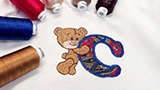
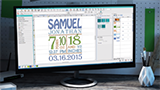
In this StitchFEST Live session, Wilcom head digitizer Mai shares why she loves the Cross Stitch GEM and the beauty of simple stitches.
Machine embroidery that looks hand-stitched
The Cross Stitch GEM adds a dedicated cross-stitch design space to Hatch Embroidery Digitizer. With it you can:
- Create designs from scratch, or import your own drawings, photos or existing patterns
- Auto-fill artwork in one click, or place each cross by hand, just like handwork
- Choose from 10 cross-stitch types
- Combine cross-stitch with regular embroidery for layered, mixed-stitch designs
The Cross Stitch GEM works with Hatch Embroidery Digitizer only. Learn more about the Cross Stitch GEM, or explore all Hatch GEMs.
Learn it in Hatch Academy
Take a tour of the GEM, then work through seven lessons on its tools in Hatch Cross-Stitch (GEM).
Ready to buy?
Compare the four levels to find the right fit, then choose your Hatch Embroidery software.
Where to get help
For technical questions about installation, licenses, or error messages, start with the FAQs or the Help Center. If you want to learn how to do something in the software, Hatch Academy is the place to go.
Related Articles



Categories
- Popular Posts
- Recent Posts