
 Hatch Embroidery Digitizer
 Hatch Embroidery Composer
 Hatch Embroidery Personalizer
 Hatch Embroidery Organizer























Categories
Discover the Top 10 New Features in Hatch Embroidery 4


Table of Contents
- 1. Multi Blend
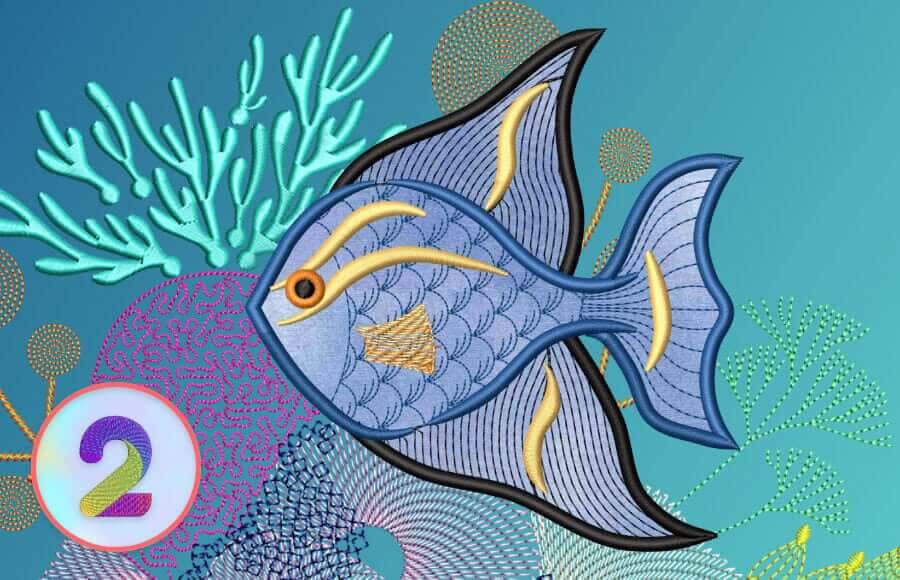
- 2. Advanced Appliqué
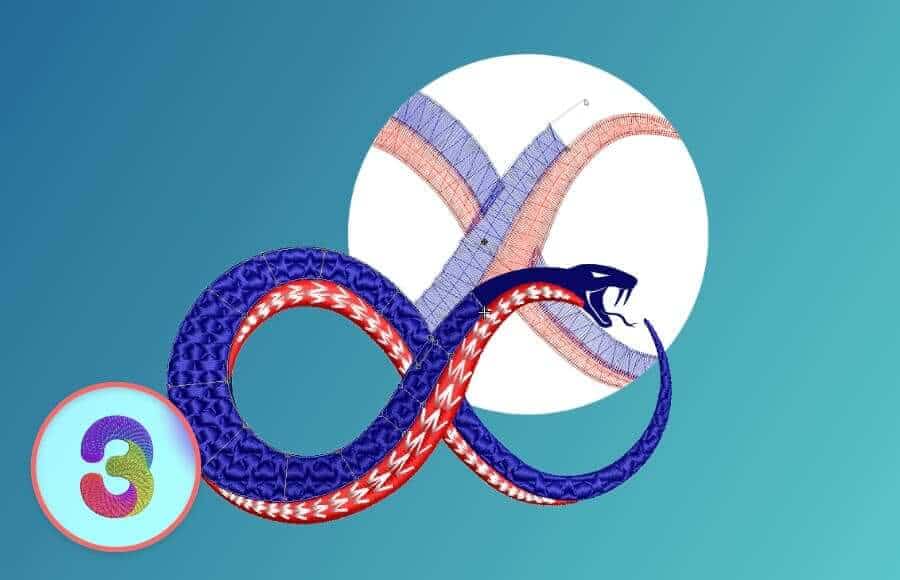
- 3. Continue Digitizing
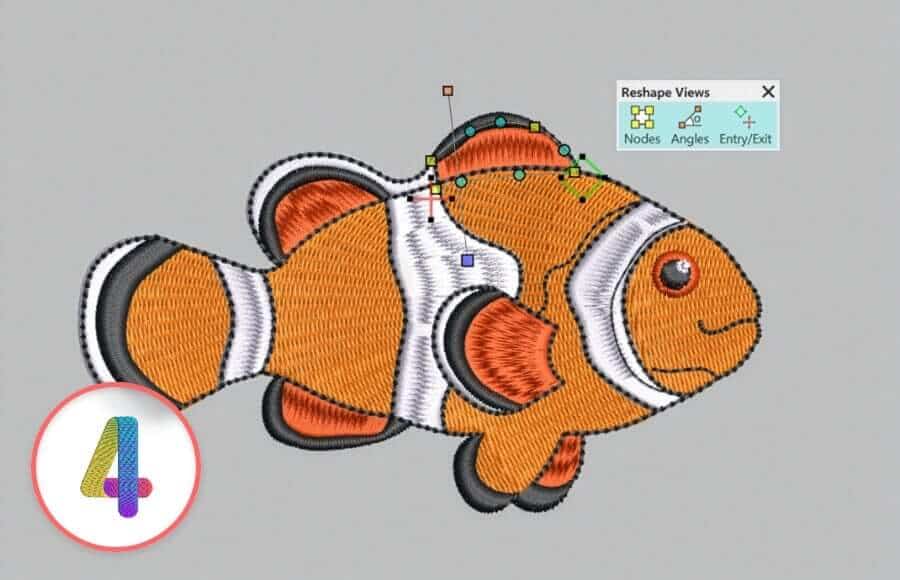
- 4. Reshape Views Toolbar
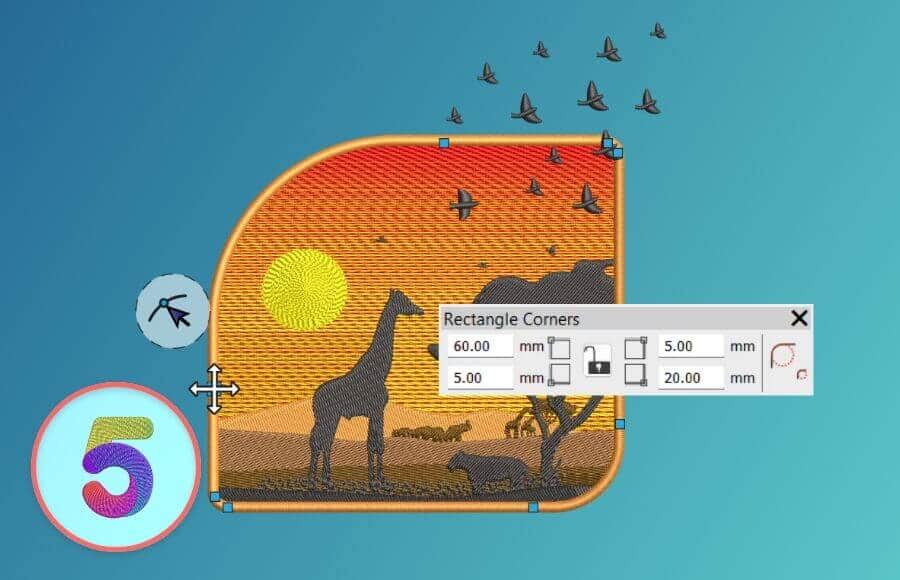
- 5. Rounded Rectangles
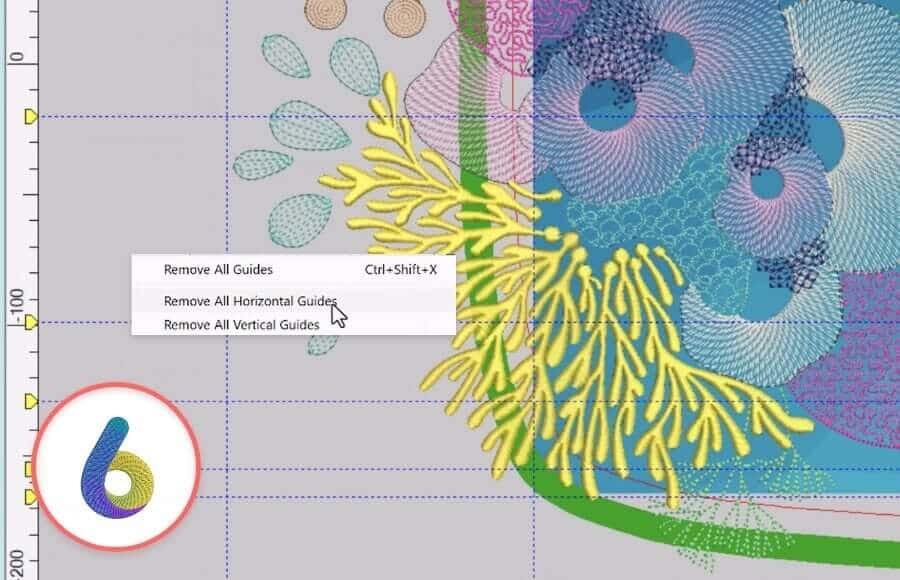
- 6. Easier Guideline Management
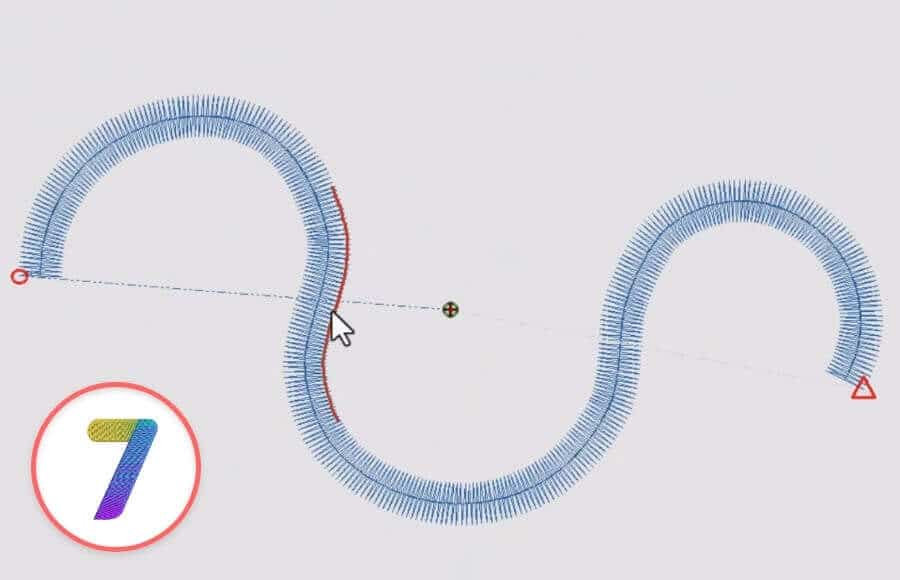
- 7. Enhanced Snapping Options
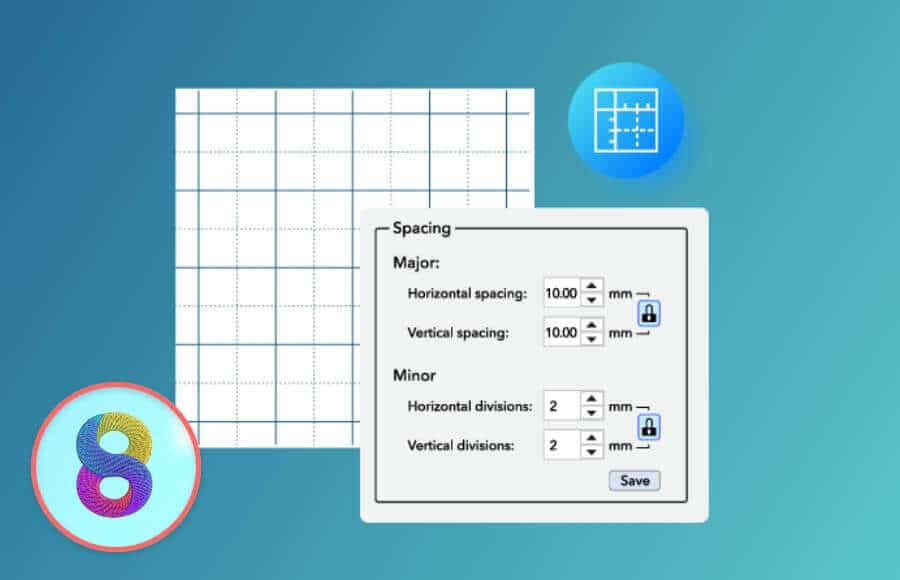
- 8. Minor Grid for Precision Digitizing
- 9. AI Answers
- 10. New Hoop Support
- FAQs
- ⭐⭐⭐⭐⭐
- The definitive choice when selecting embroidery software for your home embroidery business.
Multi Blend introduces a completely new way to create smooth gradients, shading, and color transitions directly within a single embroidery object. Instead of layering multiple objects to simulate blending effects, you can now create rich, natural-looking depth with far less effort. Hatch 4 includes ready-made blend profiles to get started quickly, while also giving you the freedom to fine-tune settings and build your own custom blend styles. This powerful new tool makes it easier than ever to create realistic florals, dimensional artwork, and artistic embroidery effects that truly stand out.

Appliqué gets a major upgrade in Hatch Embroidery 4 with the new Advanced Appliqué tools. You can now convert almost any group of embroidery objects into appliqué designs in just a few clicks. Hatch automatically detects closed shapes, generates placement and tackdown stitches instantly, and allows you to work with built-in fabrics or your own custom materials. The improved workflow gives embroiderers far more flexibility and opens up endless creative possibilities for decorative fabrics, layered textures, and custom appliqué projects.
Continue Digitizing is one of the most requested workflow improvements in Hatch Embroidery 4. Instead of restarting an object from scratch when you need to extend it, you can now continue digitizing directly from the last node. This creates seamless joins, smoother stitch paths, and a much more natural creative workflow. It is a huge time-saving feature for digitizers who frequently refine shapes and adjust designs during the creative process.
Editing embroidery objects is now cleaner and easier thanks to the new Reshape Views Toolbar. This feature allows you to instantly show or hide object nodes, stitch angles, and start and end points while reshaping designs. By reducing visual clutter, Hatch 4 makes editing more efficient and gives digitizers a clearer view of their artwork while working on intricate details and adjustments.
Rectangle objects now support fully adjustable rounded corners, making it faster than ever to create polished shapes for badges, patches, logos, and layouts. Users can enter precise corner values or simply drag corners directly on screen for quick adjustments. Each corner can also be customized independently for complete design control. Rounded Rectangles work with all outline and fill stitch types, unlocking even more creative flexibility for modern embroidery designs.
Guidelines are an essential tool for accurate digitizing, and Hatch Embroidery 4 now makes them much easier to manage. With a simple right-click directly on the ruler, users can instantly remove horizontal, vertical, or all guidelines without navigating through menus. This small but powerful workflow improvement helps keep the workspace clean and speeds up the digitizing process significantly.
Precision placement becomes much easier with Hatch Embroidery 4’s enhanced snapping system. New snapping options include Snap to Grid, Snap to Guide, and the brand-new Snap to Objects feature. These tools automatically lock input points into the correct position for more accurate alignment and cleaner digitizing. Combined with improved visual feedback, the enhanced snapping system helps users work faster while achieving greater precision throughout the design process.
Hatch Embroidery 4 introduces a new Minor Grid system for even greater digitizing accuracy. Alongside the standard grid, users can now create custom horizontal and vertical grid divisions to refine details down to the smallest elements. This added level of precision is especially useful for intricate embroidery work, detailed lettering, and professional-quality design layouts where exact positioning matters.
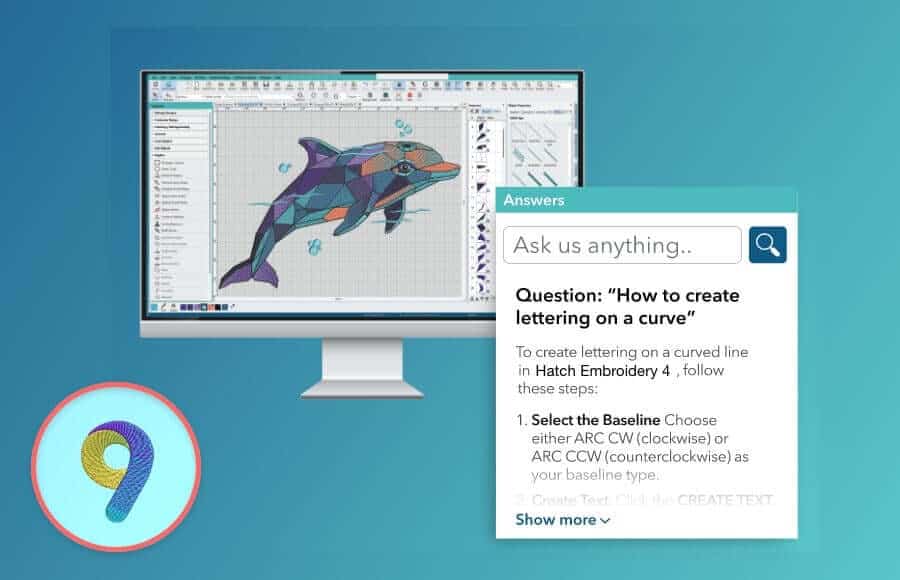
Hatch 4 now includes AI Answers, a built-in AI-powered assistant trained specifically for Hatch Embroidery. Instead of searching manuals or online forums, users can now get instant step-by-step guidance directly inside the software. Whether you need help with tools, techniques, or troubleshooting, AI Answers delivers fast and contextual support whenever you need it, helping users learn faster and stay focused on creating.
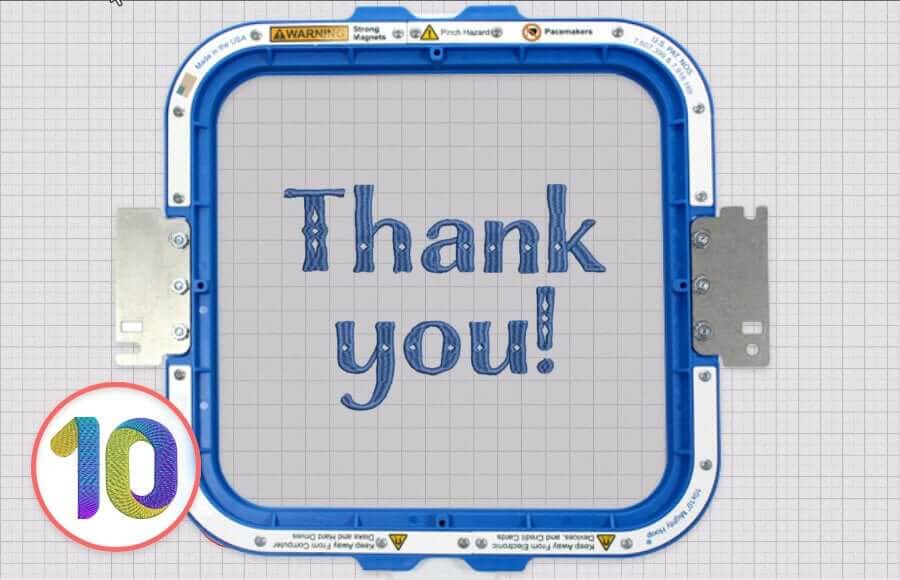
Hatch Embroidery 4 expands its hoop support with the addition of HoopMaster, Mighty Hoop, and Smart Stitch embroidery hoops. Users can quickly select their hoop directly from the hoop toolbar and display it on screen alongside their design. This expanded compatibility gives embroiderers more flexibility when working with different machines and hoop systems while improving accuracy during setup and production.
🌟 Watch the new features in action in this video!
 |  |  |  |
| Hatch Academy over 500 FREE lessons for software owners | 30-Day FREE Trial all the tools & features | Money-Back Guarantee ease of mind | FlexPay monthly installments |
Related Articles

New and Improved Hatch Academy
Recently, Hatch Academy received a major refresh to make navigating courses easier than ever. The revamped... more »

Why Upgrade to Hatch Embroidery Digitizer 4?
If you already use Hatch Embroidery, you might be wondering: Is Hatch Embroidery 4 really worth... more »

Turn Small Projects into Big Sellers with Hatch
In the world of home-based embroidery businesses, small details often make the biggest difference.... more »
Top 10 Expert Tips for Successfully Embroidering on Towels
Terry toweling is a favorite among embroiderers because it’s easy to find, can be used in many... more »